✨ New Arrivals Just Dropped!Explore
HomeStore

BricsCAD Pro - Subscription

BricsCAD Pro - Subscription


Overview


BricsCAD Pro
 provides powerful, intuitive and interoperable CAD and modeling tools for designers, innovators and engineers, offering advanced 2D and 3D design capabilities along with a range of additional features. BricsCAD Pro is widely used in various industries such as architecture, engineering, construction, and manufacturing.

  • Familiar Environment
  • Intelligent and Efficient
  • High performance


Features


Familiar and compatible CAD


BricsCAD is built entirely on the industry standard DWG format, with full command, script, macro, and menu compatibility. BricsCAD feels like home!

  • BricsCAD Pro is highly compatible with AutoCAD - To move to BricsCAD, users do not need to change printers, templates, blocks, or sheet set layouts – they are fully compatible. Command names, aliases, and system variables are the same in BricsCAD as in AutoCAD®. BricsCAD is built on native DWG for the highest compatibility with other CAD users across all industries.
  • AutoLISP support - BricsCAD Lite fully supports LISP, and it is compatible with AutoCAD’s AutoLISP format, making it simple to reuse existing routines. The advanced BLADE LISP environment allows you to quickly develop customizations that can slash the time it takes for repetitive drafting tasks.


Explore the BricsCAD open CAD platform


BricsCAD Pro is the heart of the open BricsCAD design platform. It’s runtime eXtension (BRX) API enables you to develop your own bespoke apps, offering developers a powerful base on which to build great industry-specific solutions.

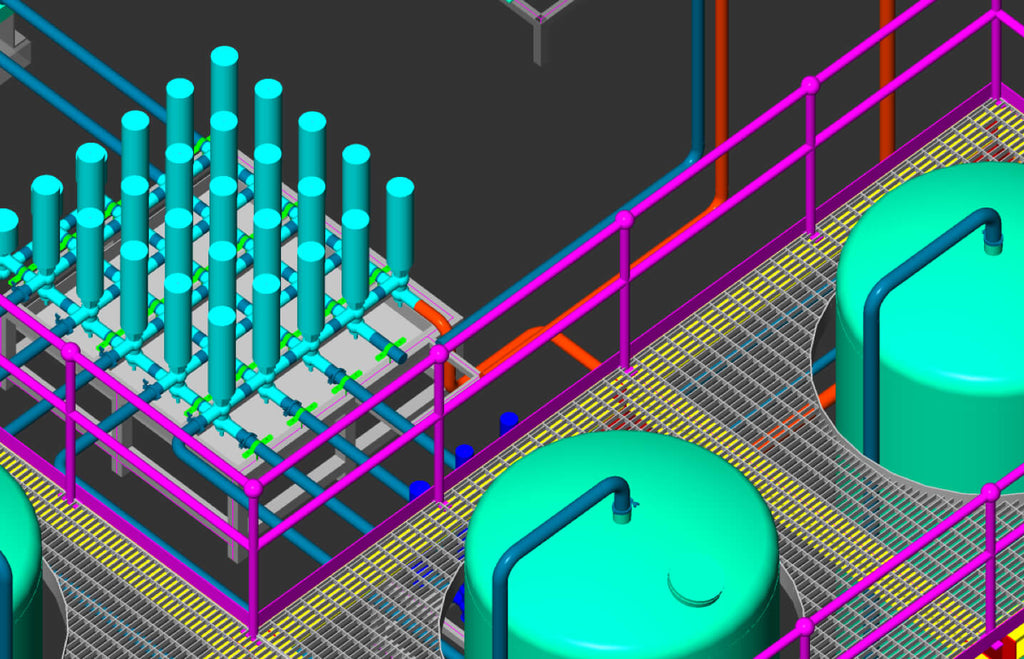
  • Plant Design
  • GIS
  • Electrical
  • Structural
  • Mechanical
  • HVAC
  • Civil
  • Scaffolding
  • AEC


Applications for BricsCAD
There are 400 partner applications on the BricsCAD Application Catalog, featuring specialized industry solutions across many disciplines, enabling you to get your work done easier, faster and more accurately.
Point Cloud Visualization
BricsCAD uses an improved data representation to speed up the performance of point cloud display, using half the disk space versus the point cloud source files. Point clouds in .ptx, .pts, .las and .rcp formats are pre-processed to the .vrm project file format in the background, on your machine. There is no productivity loss as you can continue working during the caching process.
Civil Engineering foundation
Civil design capabilities in the BricsCAD platform provide a solid basis for civil engineering, with a set of fundamental but powerful design tools and data connectivity for specialist app developers to create high value workflows for our customers.


Intelligent design tools


BricsCAD features unique AI-powered tools to help you do more faster. Intelligent commands help you automate manual tasks, optimize drawings, and assist user input, significantly reducing effort and increasing design productivity.

Parametric Blocks: a dynamic approach to creating 2D or 3D Blocks
Parametric Blocks automates repetitive tasks by allowing users to create one block instead of lots of similar, separate block definitions. You can create both 2D and 3D block definitions using the same set of tools and workflow that you are familiar with.

BLOCKIFY
This unique tool automatically converts repetitive sets of 2D or 3D drawing geometry to block definitions, instantly ensuring cleaner, higher-performing, and better organized drawings.

Optimize drawing quality
OPTIMIZE corrects your drawing issues by automatically finding and healing inconsistancies such as gaps and misalignments which may otherwise be difficult to see, improving drawing accuracy and giving you a cleaner, more efficient result.

Automatically align copied entities
COPYGUIDED automatically aligns copied entities to relevant geometry using machine-generated guide curves. You can explicitly select entities to use as guide curves or let BricsCAD determine them based on the drawing elements in your selection.
Autoconstrain 2D or 3D drawing elements
When creating parametric 2D or 3D drawing elements, BricsCAD enables you to intelligently and automatically apply parameters and constraints with just one click, applying geometric control quickly and easily for fast design changes and reuse.
The Quad: drawing, editing, and information near the cursor
BricsCAD’s unique Quad is a 'head-up' command palette that predicts your command usage and offers one-click access to the command you’ll likely need next. Powered by machine learning, the Quad predicts the commands you will need based on the unique way you use BricsCAD.


Design freedom


BricsCAD offers unique capabilities providing you with the freedom to work the way you want to. With flexible licensing, the ability to freely flow in and out of 2D and 3D workflows, and our adaptable approach to 3D modeling, you are empowered to choose the best approach for you.

Powerful variational 3D modeling
BricsCAD's unique approach to 3D design combines the best of unconstrained direct modeling and parametric design worlds.
You’re free to express your creativity at the early design stage through dynamic direct modelling, interactively manipulating solid and surface geometry as you move your mouse. As the design evolves, you can add more dimensional control, or even fully parameterize the design, automatically, and all without the complexity imposed by a history-based approach.


High-performance CAD


CAD should feel smooth and seamless, no matter how many millions of lines are in the file.

  • 2.8x faster - Running advanced LISP routine
  • 2.7x faster - Opening 500+ DWG files
  • Take real advantage of multi-core CPUs - BricsCAD supports multi-threaded, multi-processor operations to accelerate product performance for file loads, drawing generation and rendering.
  • High performance graphics engine - In each new version of BricsCAD, you will enjoy improved display performance. Enjoy smooth zoom and pan operations in drawings containing hundreds of thousands of entities. BricsCAD uses the Redway3D graphics system to deliver great display performance for 3D graphics.
  • PDF and BigTIFF underlays - BricsCAD uses a multi-resolution, persistent image cache to display PDF underlays, enabling super-fast zoom and pan operations. And BricsCAD’s raster engine delivers great pan and zoom performance, even with enormous 64-bit BigTIFF files.


Compare


Which version of BricsCAD is right for you?


BricsCAD® Lite BricsCAD® Pro BricsCAD® Mechanical BricsCAD® BIM BricsCAD® Ultimate
High-performing, compatible, and concise 2D drafting and detailing. Powerful, intuitive and interoperable 2D/3D CAD and modeling. Mechanical 2D design and drafting combined with intelligent 3D assembly modeling. AI-driven BIM, built on our single 2D and 3D DWG design platform. Powerful and seamless workflows, from BIM to mechanical design on a single platform.

Features:

  • P2D drafting toolsets
  • LISP routines

All BricsCAD Lite features, plus:

  • 3D modeling toolsets
  • 3rd party applications
  • Civil & Surveying toolsets
  • Point Cloud toolsets

All BricsCAD Pro features, plus:

  • Drag-and-drop Drawing Layout
  • Mechanical symbols and annotations
  • Bill of Material (BOM) generation
  • Sheet metal fabrication
  • Piping system design
  • Assembly instruction and inspection toolkit
  • Parametric 3D assembly modeling

All BricsCAD Pro features, plus:

  • Native IFC classification and properties
  • IFC import and export
  • RVT/RFA import
  • Project database
  • Schedules and full BOM Manager
  • BIM auto-classification

Features:

  • All BricsCAD Mechanical features
  • BricsCAD BIM features
Select Title
From $234.00

Original: $780.00

-70%
BricsCAD Pro - Subscription

$780.00

$234.00
Product image 1

Description


Overview


BricsCAD Pro
 provides powerful, intuitive and interoperable CAD and modeling tools for designers, innovators and engineers, offering advanced 2D and 3D design capabilities along with a range of additional features. BricsCAD Pro is widely used in various industries such as architecture, engineering, construction, and manufacturing.

  • Familiar Environment
  • Intelligent and Efficient
  • High performance


Features


Familiar and compatible CAD


BricsCAD is built entirely on the industry standard DWG format, with full command, script, macro, and menu compatibility. BricsCAD feels like home!

  • BricsCAD Pro is highly compatible with AutoCAD - To move to BricsCAD, users do not need to change printers, templates, blocks, or sheet set layouts – they are fully compatible. Command names, aliases, and system variables are the same in BricsCAD as in AutoCAD®. BricsCAD is built on native DWG for the highest compatibility with other CAD users across all industries.
  • AutoLISP support - BricsCAD Lite fully supports LISP, and it is compatible with AutoCAD’s AutoLISP format, making it simple to reuse existing routines. The advanced BLADE LISP environment allows you to quickly develop customizations that can slash the time it takes for repetitive drafting tasks.


Explore the BricsCAD open CAD platform


BricsCAD Pro is the heart of the open BricsCAD design platform. It’s runtime eXtension (BRX) API enables you to develop your own bespoke apps, offering developers a powerful base on which to build great industry-specific solutions.

  • Plant Design
  • GIS
  • Electrical
  • Structural
  • Mechanical
  • HVAC
  • Civil
  • Scaffolding
  • AEC


Applications for BricsCAD
There are 400 partner applications on the BricsCAD Application Catalog, featuring specialized industry solutions across many disciplines, enabling you to get your work done easier, faster and more accurately.
Point Cloud Visualization
BricsCAD uses an improved data representation to speed up the performance of point cloud display, using half the disk space versus the point cloud source files. Point clouds in .ptx, .pts, .las and .rcp formats are pre-processed to the .vrm project file format in the background, on your machine. There is no productivity loss as you can continue working during the caching process.
Civil Engineering foundation
Civil design capabilities in the BricsCAD platform provide a solid basis for civil engineering, with a set of fundamental but powerful design tools and data connectivity for specialist app developers to create high value workflows for our customers.


Intelligent design tools


BricsCAD features unique AI-powered tools to help you do more faster. Intelligent commands help you automate manual tasks, optimize drawings, and assist user input, significantly reducing effort and increasing design productivity.

Parametric Blocks: a dynamic approach to creating 2D or 3D Blocks
Parametric Blocks automates repetitive tasks by allowing users to create one block instead of lots of similar, separate block definitions. You can create both 2D and 3D block definitions using the same set of tools and workflow that you are familiar with.

BLOCKIFY
This unique tool automatically converts repetitive sets of 2D or 3D drawing geometry to block definitions, instantly ensuring cleaner, higher-performing, and better organized drawings.

Optimize drawing quality
OPTIMIZE corrects your drawing issues by automatically finding and healing inconsistancies such as gaps and misalignments which may otherwise be difficult to see, improving drawing accuracy and giving you a cleaner, more efficient result.

Automatically align copied entities
COPYGUIDED automatically aligns copied entities to relevant geometry using machine-generated guide curves. You can explicitly select entities to use as guide curves or let BricsCAD determine them based on the drawing elements in your selection.
Autoconstrain 2D or 3D drawing elements
When creating parametric 2D or 3D drawing elements, BricsCAD enables you to intelligently and automatically apply parameters and constraints with just one click, applying geometric control quickly and easily for fast design changes and reuse.
The Quad: drawing, editing, and information near the cursor
BricsCAD’s unique Quad is a 'head-up' command palette that predicts your command usage and offers one-click access to the command you’ll likely need next. Powered by machine learning, the Quad predicts the commands you will need based on the unique way you use BricsCAD.


Design freedom


BricsCAD offers unique capabilities providing you with the freedom to work the way you want to. With flexible licensing, the ability to freely flow in and out of 2D and 3D workflows, and our adaptable approach to 3D modeling, you are empowered to choose the best approach for you.

Powerful variational 3D modeling
BricsCAD's unique approach to 3D design combines the best of unconstrained direct modeling and parametric design worlds.
You’re free to express your creativity at the early design stage through dynamic direct modelling, interactively manipulating solid and surface geometry as you move your mouse. As the design evolves, you can add more dimensional control, or even fully parameterize the design, automatically, and all without the complexity imposed by a history-based approach.


High-performance CAD


CAD should feel smooth and seamless, no matter how many millions of lines are in the file.

  • 2.8x faster - Running advanced LISP routine
  • 2.7x faster - Opening 500+ DWG files
  • Take real advantage of multi-core CPUs - BricsCAD supports multi-threaded, multi-processor operations to accelerate product performance for file loads, drawing generation and rendering.
  • High performance graphics engine - In each new version of BricsCAD, you will enjoy improved display performance. Enjoy smooth zoom and pan operations in drawings containing hundreds of thousands of entities. BricsCAD uses the Redway3D graphics system to deliver great display performance for 3D graphics.
  • PDF and BigTIFF underlays - BricsCAD uses a multi-resolution, persistent image cache to display PDF underlays, enabling super-fast zoom and pan operations. And BricsCAD’s raster engine delivers great pan and zoom performance, even with enormous 64-bit BigTIFF files.


Compare


Which version of BricsCAD is right for you?


BricsCAD® Lite BricsCAD® Pro BricsCAD® Mechanical BricsCAD® BIM BricsCAD® Ultimate
High-performing, compatible, and concise 2D drafting and detailing. Powerful, intuitive and interoperable 2D/3D CAD and modeling. Mechanical 2D design and drafting combined with intelligent 3D assembly modeling. AI-driven BIM, built on our single 2D and 3D DWG design platform. Powerful and seamless workflows, from BIM to mechanical design on a single platform.

Features:

  • P2D drafting toolsets
  • LISP routines

All BricsCAD Lite features, plus:

  • 3D modeling toolsets
  • 3rd party applications
  • Civil & Surveying toolsets
  • Point Cloud toolsets

All BricsCAD Pro features, plus:

  • Drag-and-drop Drawing Layout
  • Mechanical symbols and annotations
  • Bill of Material (BOM) generation
  • Sheet metal fabrication
  • Piping system design
  • Assembly instruction and inspection toolkit
  • Parametric 3D assembly modeling

All BricsCAD Pro features, plus:

  • Native IFC classification and properties
  • IFC import and export
  • RVT/RFA import
  • Project database
  • Schedules and full BOM Manager
  • BIM auto-classification

Features:

  • All BricsCAD Mechanical features
  • BricsCAD BIM features