CADVRter - Subscription
Overview
|
|
Features
|
|
How does CADVRter work? CADVRter does all the work locally on your machine (Windows or Mac) it does not upload your 3D models to the cloud, so you are sure your 3D models are safe. CADVRter enables you to automate converting a bulky number of 3D files by a single step. |
|
25+ Supported Import File Formats. CADVRter can be set to perform automatic file conversion in three different modes:
|

|
|
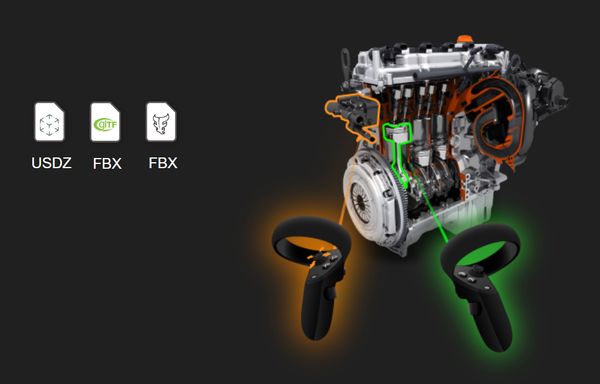
Create Assets for VR SimLab CADVRter can create VR assets out of your designs by supporting all of the leading file formats in the VR industry. |
Import Formats |
|
Export Formats |
||||
| File Format | Windows | Mac OS |
|
File Format | Windows | Mac OS |
| 3D PDF *.pdf (u3d based) | ✔ | ✔ | 3D PDF *.pdf (u3d/prc based) | ✔ | ✔ | |
| 3DS MAX *.3ds | ✔ | ✔ | 3DS MAX *.3ds | ✔ | ✔ | |
| CATIA *.3dxml | ✔ | ✔ | 3MF *.3mf | ✔ | ✔ | |
| Collada *.dae | ✔ | ✔ | Collada *.dae | ✔ | ✔ | |
| CTM *.ctm | ✔ | ✔ | CTM *.ctm | ✔ | ✔ | |
| DWF *.dwf *dwfx | ✔ | DWF *.dwf *dwfx | ✔ | |||
| DWG (2021)*.dwg *dxf | ✔ | ✔ | DWG *.dwg *dxf | ✔ | ✔ | |
| FBX (2020)*.fbx | ✔ | ✔ | FBX *.fbx | ✔ | ✔ | |
| GLTF *.gltf *.glb | ✔ | ✔ | GLTF *.gltf *.glb | ✔ | ✔ | |
| IFC *.ifc | ✔ | ✔ | OSG *.osg *.osgb | ✔ | ✔ | |
| IGES *.igs *.iges | ✔ | ✔ | SKETCHUP (2022) *.skp | ✔ | ✔ | |
| INVENTOR (2021) *.iam *.ipt | ✔ | STL *.stl | ✔ | ✔ | ||
| LightWave*.lwo, *.lw, *.geo, *.lws | ✔ | ✔ | SIMLAB VR VIEWER*.vrpackage | ✔ | ✔ | |
| OSG *.osg | ✔ | ✔ | USDZ *.usdz | ✔ | ✔ | |
| PRC *.prc | ✔ | ✔ | U3D*.u3d | ✔ | ✔ | |
| RHINO 3D *.3dm | ✔ | ✔ | WAVEFRONT OBJ*.obj | ✔ | ✔ | |
| SKETCHUP (2022) *.skp | ✔ | ✔ | ||||
| SOLIDWORKS*.sldasm *.sldprt | ✔ | |||||
| STEP *.step | ✔ | ✔ | ||||
| STL *.stl | ✔ | ✔ | ||||
| USDZ *.usdz | ✔ | ✔ | ||||
| Point Cloud *.xyz, *.pcd, *.e57, *.las, *.laz | ✔ | ✔ | ||||
| U3D*.u3d | ✔ | ✔ | ||||
| WAVEFRONT OBJ *.obj | ✔ | ✔ | ||||
| ZBRUSH *.goz | ✔ | ✔ | ||||

Description
Overview
|
|
Features
|
|
How does CADVRter work? CADVRter does all the work locally on your machine (Windows or Mac) it does not upload your 3D models to the cloud, so you are sure your 3D models are safe. CADVRter enables you to automate converting a bulky number of 3D files by a single step. |
|
25+ Supported Import File Formats. CADVRter can be set to perform automatic file conversion in three different modes:
|
|
|
|
Create Assets for VR SimLab CADVRter can create VR assets out of your designs by supporting all of the leading file formats in the VR industry. |
Import Formats |
|
Export Formats |
||||
| File Format | Windows | Mac OS |
|
File Format | Windows | Mac OS |
| 3D PDF *.pdf (u3d based) | ✔ | ✔ | 3D PDF *.pdf (u3d/prc based) | ✔ | ✔ | |
| 3DS MAX *.3ds | ✔ | ✔ | 3DS MAX *.3ds | ✔ | ✔ | |
| CATIA *.3dxml | ✔ | ✔ | 3MF *.3mf | ✔ | ✔ | |
| Collada *.dae | ✔ | ✔ | Collada *.dae | ✔ | ✔ | |
| CTM *.ctm | ✔ | ✔ | CTM *.ctm | ✔ | ✔ | |
| DWF *.dwf *dwfx | ✔ | DWF *.dwf *dwfx | ✔ | |||
| DWG (2021)*.dwg *dxf | ✔ | ✔ | DWG *.dwg *dxf | ✔ | ✔ | |
| FBX (2020)*.fbx | ✔ | ✔ | FBX *.fbx | ✔ | ✔ | |
| GLTF *.gltf *.glb | ✔ | ✔ | GLTF *.gltf *.glb | ✔ | ✔ | |
| IFC *.ifc | ✔ | ✔ | OSG *.osg *.osgb | ✔ | ✔ | |
| IGES *.igs *.iges | ✔ | ✔ | SKETCHUP (2022) *.skp | ✔ | ✔ | |
| INVENTOR (2021) *.iam *.ipt | ✔ | STL *.stl | ✔ | ✔ | ||
| LightWave*.lwo, *.lw, *.geo, *.lws | ✔ | ✔ | SIMLAB VR VIEWER*.vrpackage | ✔ | ✔ | |
| OSG *.osg | ✔ | ✔ | USDZ *.usdz | ✔ | ✔ | |
| PRC *.prc | ✔ | ✔ | U3D*.u3d | ✔ | ✔ | |
| RHINO 3D *.3dm | ✔ | ✔ | WAVEFRONT OBJ*.obj | ✔ | ✔ | |
| SKETCHUP (2022) *.skp | ✔ | ✔ | ||||
| SOLIDWORKS*.sldasm *.sldprt | ✔ | |||||
| STEP *.step | ✔ | ✔ | ||||
| STL *.stl | ✔ | ✔ | ||||
| USDZ *.usdz | ✔ | ✔ | ||||
| Point Cloud *.xyz, *.pcd, *.e57, *.las, *.laz | ✔ | ✔ | ||||
| U3D*.u3d | ✔ | ✔ | ||||
| WAVEFRONT OBJ *.obj | ✔ | ✔ | ||||
| ZBRUSH *.goz | ✔ | ✔ | ||||