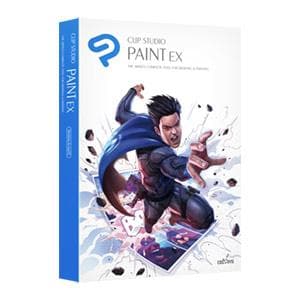
CLIP STUDIO PAINT EX
Overview
|
Highlights
 |
 |
 |
|
Get creative right away with any device CLIP STUDIO PAINT is available for iPad, iPhone, macOS, Galaxy, Android, Chromebook and Windows PC. |
Let the community be an asset to your creativity New art tutorials are posted every week on CLIP SUTDIO's official site and YouTube channel for free. |
Share your art with your friends on social media With Clip Studio Paint, you can share your artworks to social media right from the app. |
Key Features
Powerful functionality to create exactly what you want
 |
 |
 |
|
Find the one for you from among over 40,000 brushes In addition to the default brushes included with Clip Studio Paint, there are over 40,000 brushes created by users from around the world for you to discover and download from Clip Studio Assets, Clip Studio Paint’s official material store. Explore different mediums, from watercolors and pens to gouache and oil paint brushes available on the service. |
Create nuanced art with the fine-tuned brush engine Clip Studio Paint’s powerful brush engine picks up on the fine variations in pen pressure of your every stroke and reproduces the nuances faithfully on-screen, just as if you were drawing using traditional media. You can also customize the pen pressure sensitivity for each individual pen and brush you use, giving you even more control to create expressive works of art, just as you conceptualize them. |
Easily sketch even the most complex angles with 3D drawing figures Take advantage of Clip Studio Paint’s 3D models to get a better understanding of anatomy and figure out tricky poses. Freely customize the pose, angle, and body type of your 3D model to fit the exact needs of your piece. Then, draw directly on top of the model, or use the built-in AI to pose your figure using a photo reference. Overcome barriers to drawing and recreate your vision exactly as you imagine! |
The all-in-one app for creating professional comics and animation
 |
 |
|
Packed full of special comic and webtoon features Create expressive speech bubbles, panel frames, focus, and effect lines for manga in an instant with Clip Studio Paint. Materials and 3D tools make drawing backgrounds a piece of cake! Keep tabs on your webtoon’s composition as you draw with the built-in webtoon canvases and smartphone preview features. What’s more, Clip Studio Paint EX even handles multi-page comic and manga projects, so you can add, re-order, and convert pages to spreads as you please. |
Make videos with our suite of pro animation tools If you’re new to animation, why not start by adding some movement to your doodles and drawings? Place your illustrations in on the timeline in your desired order and then play them at the frame rate you choose to add eye-catching movement to your pieces. Then, add sound, play around with the camera work, and before you know it you’ll be making fully fledged animations all in Clip Studio Paint! |
Which version of CLIP STUDIO PAINT is right for you?
CLIP STUDIO PAINT is available in two versions - choose the right one for your needs:
| Single-page illustrations & comics | Multi-page comics/manga & illustrations |
| Up to 24 frames for gifs or short animations | Unlimited frames for professional animation |
| Natural, customizable pen and brush tools | Natural, customizable pen and brush tools |
| Vector layers | Vector layers |
| More than 10,000 free downloadable brushes and materials | More than 10,000 free downloadable brushes and materials |
| 3D models and drawing figures | 3D models and drawing figures |
| PSD compatibility | PSD compatibility |
| RGB and CMYK compatible | RGB and CMYK compatible |
| For macOS and Windows | For macOS and Windows |
| - | Export and print multi-page files |
| - | Convert images and 3D models into lines and dot shading |
| Free technical support | Free technical support |
| Free web services & community Clip Studio Ask / Assets / Tips / Share |
Free web services & community Clip Studio Ask / Assets / Tips / Share |
HW Suggestions
Recommended System Specification
NOVEDGE is an authorized HP reseller that offers a wide range of professional quality notebooks and workstations to meet your hardware needs.
In addition, NOVEDGE works with High Speed Computing to customize workstations to give you the perfect hardware for your design needs at a competitive price. Contact us to discuss pre-built and custom configuration workstations and laptops.
You can find our selection of high performance hardware products at this LINK.
Below you can try our free experimental AI Service, which makes computer hardware recommendations for selected design software products. Our goal is to make it as good as a first line support human person, and it can work for you 24/7. Please give us your feedback to help make this service as good as it can be.
If you need help with sales instead, we have an excellent human team that will be happy to help you find the products best fit your needs from our very large selection of standard and custom workstations and laptops. You can get in touch with them by email at [email protected] or phone at 1-415-848-9018.
If you do not get a satisfactory answer try to rephrase the question in a more specific/detailed way
This service is a prototype and therefore it may return incorrect or incomplete answers. Furthermore, Artificial Intelligence is intrinsically prone to occasional mistakes, misunderstandings, and incomplete answers at least as much as human intelligence is.
This experimental service is offered as is and free of charge as a demonstration of the capabilities of Artificial Intelligence as an automated tool for support. Although the information found on this system has been produced and processed from sources believed to be reliable, no warranty, express or implied, is made regarding accuracy, adequacy, completeness, legality, reliability, or usefulness of any information.
Description
Overview
|
Highlights
|
|
|
|
Get creative right away with any device CLIP STUDIO PAINT is available for iPad, iPhone, macOS, Galaxy, Android, Chromebook and Windows PC. |
Let the community be an asset to your creativity New art tutorials are posted every week on CLIP SUTDIO's official site and YouTube channel for free. |
Share your art with your friends on social media With Clip Studio Paint, you can share your artworks to social media right from the app. |
Key Features
Powerful functionality to create exactly what you want
|
|
|
|
Find the one for you from among over 40,000 brushes In addition to the default brushes included with Clip Studio Paint, there are over 40,000 brushes created by users from around the world for you to discover and download from Clip Studio Assets, Clip Studio Paint’s official material store. Explore different mediums, from watercolors and pens to gouache and oil paint brushes available on the service. |
Create nuanced art with the fine-tuned brush engine Clip Studio Paint’s powerful brush engine picks up on the fine variations in pen pressure of your every stroke and reproduces the nuances faithfully on-screen, just as if you were drawing using traditional media. You can also customize the pen pressure sensitivity for each individual pen and brush you use, giving you even more control to create expressive works of art, just as you conceptualize them. |
Easily sketch even the most complex angles with 3D drawing figures Take advantage of Clip Studio Paint’s 3D models to get a better understanding of anatomy and figure out tricky poses. Freely customize the pose, angle, and body type of your 3D model to fit the exact needs of your piece. Then, draw directly on top of the model, or use the built-in AI to pose your figure using a photo reference. Overcome barriers to drawing and recreate your vision exactly as you imagine! |
The all-in-one app for creating professional comics and animation
|
|
|
Packed full of special comic and webtoon features Create expressive speech bubbles, panel frames, focus, and effect lines for manga in an instant with Clip Studio Paint. Materials and 3D tools make drawing backgrounds a piece of cake! Keep tabs on your webtoon’s composition as you draw with the built-in webtoon canvases and smartphone preview features. What’s more, Clip Studio Paint EX even handles multi-page comic and manga projects, so you can add, re-order, and convert pages to spreads as you please. |
Make videos with our suite of pro animation tools If you’re new to animation, why not start by adding some movement to your doodles and drawings? Place your illustrations in on the timeline in your desired order and then play them at the frame rate you choose to add eye-catching movement to your pieces. Then, add sound, play around with the camera work, and before you know it you’ll be making fully fledged animations all in Clip Studio Paint! |
Which version of CLIP STUDIO PAINT is right for you?
CLIP STUDIO PAINT is available in two versions - choose the right one for your needs:
| Single-page illustrations & comics | Multi-page comics/manga & illustrations |
| Up to 24 frames for gifs or short animations | Unlimited frames for professional animation |
| Natural, customizable pen and brush tools | Natural, customizable pen and brush tools |
| Vector layers | Vector layers |
| More than 10,000 free downloadable brushes and materials | More than 10,000 free downloadable brushes and materials |
| 3D models and drawing figures | 3D models and drawing figures |
| PSD compatibility | PSD compatibility |
| RGB and CMYK compatible | RGB and CMYK compatible |
| For macOS and Windows | For macOS and Windows |
| - | Export and print multi-page files |
| - | Convert images and 3D models into lines and dot shading |
| Free technical support | Free technical support |
| Free web services & community Clip Studio Ask / Assets / Tips / Share |
Free web services & community Clip Studio Ask / Assets / Tips / Share |
HW Suggestions
Recommended System Specification
NOVEDGE is an authorized HP reseller that offers a wide range of professional quality notebooks and workstations to meet your hardware needs.
In addition, NOVEDGE works with High Speed Computing to customize workstations to give you the perfect hardware for your design needs at a competitive price. Contact us to discuss pre-built and custom configuration workstations and laptops.
You can find our selection of high performance hardware products at this LINK.
Below you can try our free experimental AI Service, which makes computer hardware recommendations for selected design software products. Our goal is to make it as good as a first line support human person, and it can work for you 24/7. Please give us your feedback to help make this service as good as it can be.
If you need help with sales instead, we have an excellent human team that will be happy to help you find the products best fit your needs from our very large selection of standard and custom workstations and laptops. You can get in touch with them by email at [email protected] or phone at 1-415-848-9018.
If you do not get a satisfactory answer try to rephrase the question in a more specific/detailed way
This service is a prototype and therefore it may return incorrect or incomplete answers. Furthermore, Artificial Intelligence is intrinsically prone to occasional mistakes, misunderstandings, and incomplete answers at least as much as human intelligence is.
This experimental service is offered as is and free of charge as a demonstration of the capabilities of Artificial Intelligence as an automated tool for support. Although the information found on this system has been produced and processed from sources believed to be reliable, no warranty, express or implied, is made regarding accuracy, adequacy, completeness, legality, reliability, or usefulness of any information.