formZ Pro 10
Overview
|
Highlights
 |
Architecture Explore fluidly while maintaining perfect accuracy. Sketch 3D parametric walls. Insert wall-cutting door and window Components. Automated roofs and parametric stairs. Topography from contours. Maintain a lightweight project with externally Referenced files. |
|
Film previsualization and set design From scenery to spacecraft, form•Z is used to develop concept art, props, and sets for major productions. |
 |
 |
Interior design From intimate residential to multistory office, designers trust form•Z from sketch though documentation. |
|
Exhibit design Promote and persuade with form•Z. |
 |
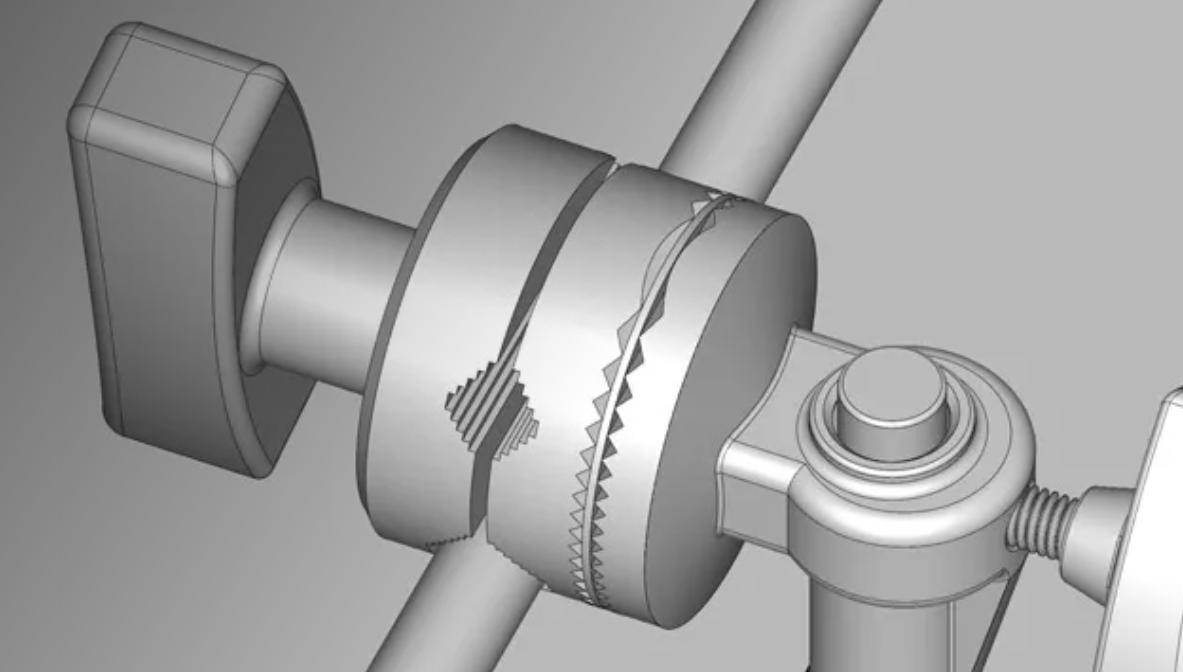 |
Product design Design any product you can imagine with polygonal meshes, ACIS solids, NURBS surfaces, and subdivision surfaces. Iterate quickly and precisely with parametrically controlled objects. form•Z’s solid modeling representation is ideal for fabrication and manufacturing. |
Features
- Animate - Animate architectural walkthroughs, product turntables, construction phasing, mechanical designs and more. Morph objects, cue lights, dolly cameras, adjust materials– most everything in form•Z Pro can be animated.
- Manage Complexity - Store and recall Scenes for rendering, presentations, or phasing. Named Objects, Groups, Layers, and Layer Groups. Component instancing, Reference Files, and Information management. Component instancing, Reference Files, and Information management.
- Ease and Speed - Automatic modeling plane detection. Sophisticated snap combinations. Temporary and persistent smart guides. Dynamic object reshaping.
- Pro Tools - From generic parametric solids to architectural specialties like switchback stairs and structural shapes, form•Z has you covered.
- Creative Partner - Support you creativity with a wide array of specialized modeling approaches, from live symmetrical modeling, to formula-defined NURBS surfaces, to object morphing. form•Z Pro supports Python scripting for full creative control.
- Core Tools - From generic parametric solids to architectural specialties like stairs, form•Z has you covered.
- Accuracy - form•Z is backed by the robust ACIS 3D modeling kernel and double-precision floating point numbers. Metric and English unit support. Enter and display values as decimal, feet and decimal inches, or even as fractions.
- Interoperability - form•Z is a team player. Seamlessly integrate with your existing pipeline with built-in importers and exporters.
-
Rendering - Present your project in its best light with V-ray or
RenderZone. From stylized to photo-real, these optional renderers have you covered with a wide variety of visualization options. - Twinmotion Direct Link - Wait no more. With form•Z and Twinmotion, you can render and animate in real time. Incorporate thousands of assets like plants, animated vehicles and people. With Direct Link enabled, changes made in form•Z are immediately reflected in Twinmotion.
- Digital Fabrication - Directly export your model in industry standard formats for use with 3D printers and CNC manufacturing equipment. Our water-tight representation ensures that your model is ready for prototyping and production.
- Live Sections - Clarify intent with real-time clipping planes. Make sections permanent at any time.
-
Documentation - Prepare drafted documentation of your 3D projects in form•Z Layout. This application has both world scale and paper scale working environments and includes a suite of predefined title blocks in standard paper sizes.
Specs
Support & Maintenance
New user licenses of formZ Pro come with four months of free technical support over the phone or e-mail directly from AutoDesSys (4 months of Family Plan).
Users have the option to subscribe to the Family Plan, an annual maintenance plan that provides unlimited technical support and updates sent to you as they are released.
Compare
Compare AutoDesSys formZ Versions
| formZ Core | formZ Pro |
| Intuitive user interface Mesh modeling Machining tolerances Reshape (push/pull faces) Powerful booleans Fast, accurate sun studies Dynamic, non-destructive clipping planes 2D and 3D sections Dimensioning and callouts 3D print export 10+ file exchange formats ACIS (smooth) Modeling NURBS Subdivision surfaces Parametric Primitives Architectural Tools Deformers and Rounding Components (block instances) Twinmotion Directlink V-Ray and RenderZone Support (as optional plugins) Python scripting |
Intuitive UI with keyword Assist Mesh modeling Machining tolerances Reshape (push/pull faces) Powerful booleans Fast, accurate sun studies Dynamic, non-destructive clipping planes 2D and 3D sections Advanced Dimensioning and callouts 3D print export 20+ file exchange formats ACIS (smooth) Modeling Advanced NURBS Advanced Subdivision surfaces Advanced Parametric Primitives Advanced Architectural tools Advanced Deformers and Rounding Components (block instances) Twinmotion Directlink V-Ray and RenderZone Support (as optional plugins) Python scripting Animation Batch and Network Rendering Layout Application for documentation Custom Workspaces Hatches, line styles and weights Lab Technology Preview Plugins (available by subscription only) |
Webinars
Latest formZ Novedge Webinar
|
FormZ for Architectural Modeling, Rendering and Drawings |
|
|
|
Trial Download
formZ Free Trial Software Download
Download and test formZ before you make your purchasing decision.

Description
Overview
|
Highlights
|
Architecture Explore fluidly while maintaining perfect accuracy. Sketch 3D parametric walls. Insert wall-cutting door and window Components. Automated roofs and parametric stairs. Topography from contours. Maintain a lightweight project with externally Referenced files. |
|
Film previsualization and set design From scenery to spacecraft, form•Z is used to develop concept art, props, and sets for major productions. |
|
|
Interior design From intimate residential to multistory office, designers trust form•Z from sketch though documentation. |
|
Exhibit design Promote and persuade with form•Z. |
|
|
Product design Design any product you can imagine with polygonal meshes, ACIS solids, NURBS surfaces, and subdivision surfaces. Iterate quickly and precisely with parametrically controlled objects. form•Z’s solid modeling representation is ideal for fabrication and manufacturing. |
Features
- Animate - Animate architectural walkthroughs, product turntables, construction phasing, mechanical designs and more. Morph objects, cue lights, dolly cameras, adjust materials– most everything in form•Z Pro can be animated.
- Manage Complexity - Store and recall Scenes for rendering, presentations, or phasing. Named Objects, Groups, Layers, and Layer Groups. Component instancing, Reference Files, and Information management. Component instancing, Reference Files, and Information management.
- Ease and Speed - Automatic modeling plane detection. Sophisticated snap combinations. Temporary and persistent smart guides. Dynamic object reshaping.
- Pro Tools - From generic parametric solids to architectural specialties like switchback stairs and structural shapes, form•Z has you covered.
- Creative Partner - Support you creativity with a wide array of specialized modeling approaches, from live symmetrical modeling, to formula-defined NURBS surfaces, to object morphing. form•Z Pro supports Python scripting for full creative control.
- Core Tools - From generic parametric solids to architectural specialties like stairs, form•Z has you covered.
- Accuracy - form•Z is backed by the robust ACIS 3D modeling kernel and double-precision floating point numbers. Metric and English unit support. Enter and display values as decimal, feet and decimal inches, or even as fractions.
- Interoperability - form•Z is a team player. Seamlessly integrate with your existing pipeline with built-in importers and exporters.
-
Rendering - Present your project in its best light with V-ray or
RenderZone. From stylized to photo-real, these optional renderers have you covered with a wide variety of visualization options. - Twinmotion Direct Link - Wait no more. With form•Z and Twinmotion, you can render and animate in real time. Incorporate thousands of assets like plants, animated vehicles and people. With Direct Link enabled, changes made in form•Z are immediately reflected in Twinmotion.
- Digital Fabrication - Directly export your model in industry standard formats for use with 3D printers and CNC manufacturing equipment. Our water-tight representation ensures that your model is ready for prototyping and production.
- Live Sections - Clarify intent with real-time clipping planes. Make sections permanent at any time.
-
Documentation - Prepare drafted documentation of your 3D projects in form•Z Layout. This application has both world scale and paper scale working environments and includes a suite of predefined title blocks in standard paper sizes.
Specs
Support & Maintenance
New user licenses of formZ Pro come with four months of free technical support over the phone or e-mail directly from AutoDesSys (4 months of Family Plan).
Users have the option to subscribe to the Family Plan, an annual maintenance plan that provides unlimited technical support and updates sent to you as they are released.
Compare
Compare AutoDesSys formZ Versions
| formZ Core | formZ Pro |
| Intuitive user interface Mesh modeling Machining tolerances Reshape (push/pull faces) Powerful booleans Fast, accurate sun studies Dynamic, non-destructive clipping planes 2D and 3D sections Dimensioning and callouts 3D print export 10+ file exchange formats ACIS (smooth) Modeling NURBS Subdivision surfaces Parametric Primitives Architectural Tools Deformers and Rounding Components (block instances) Twinmotion Directlink V-Ray and RenderZone Support (as optional plugins) Python scripting |
Intuitive UI with keyword Assist Mesh modeling Machining tolerances Reshape (push/pull faces) Powerful booleans Fast, accurate sun studies Dynamic, non-destructive clipping planes 2D and 3D sections Advanced Dimensioning and callouts 3D print export 20+ file exchange formats ACIS (smooth) Modeling Advanced NURBS Advanced Subdivision surfaces Advanced Parametric Primitives Advanced Architectural tools Advanced Deformers and Rounding Components (block instances) Twinmotion Directlink V-Ray and RenderZone Support (as optional plugins) Python scripting Animation Batch and Network Rendering Layout Application for documentation Custom Workspaces Hatches, line styles and weights Lab Technology Preview Plugins (available by subscription only) |
Webinars
Latest formZ Novedge Webinar
|
FormZ for Architectural Modeling, Rendering and Drawings |
|
|
|
Trial Download
formZ Free Trial Software Download
Download and test formZ before you make your purchasing decision.