Maya - Subscription
|
Highlights
 |
Breathe life into 3D models with powerful animation tools Whether you’re animating lifelike digi doubles or lovable cartoon characters, Maya has the animation toolset to bring your 3D assets to life. |
|
Create detailed simulations with Bifrost for Maya From blazing explosions to complex snowstorms, Bifrost makes it possible to create physically accurate simulations in a single visual programming environment. |
 |
What's New
|
|
Produce content faster and raise the bar of high-quality visuals with new capabilities in Maya. The latest release brings support for LookdevX, an agnostic material editor that allows you to share materials seamlessly across the pipeline and includes a new, modern, node-based environment for authoring material graphs like USD, MaterialX, and Arnold. Maya also offers you more artistic control with updates to modeling tools like Retopologize and the Boolean toolset, while animation and rigging updates keep you in the creative zone.
|

Key Features
From fantastic creatures to sweeping landscapes and explosive battle sequences, the Academy Award–winning Maya toolset is a top choice for creating believable characters and the worlds around them.

|
Bifrost for Maya Create physically accurate simulations in a single visual programming environment. |
USD in Maya Load and edit large datasets quickly and work directly with data using native tools. |
Fast playback Review animations faster and produce fewer playblasts with cached playback in Viewport 2.0. |
Unreal Live Link for Maya Stream animation data from Maya to Unreal in real time with the Unreal Live Link for Maya plug-in. |
|
Time editor Make high-level animation edits with a nondestructive, clip-based nonlinear editor. |
Graph editor Create, view, and modify animation curves using a graphical representation of scene animation. |
Polygon modeling Create 3D models using geometry based on vertices, edges, and faces. |
NURBS modeling Construct 3D models from geometric primitives and drawn curves. |
|
Character setup Create sophisticated skeletons, IK handles, and deformers for characters that deliver lifelike performances. |
Integrated Arnold renderer Use Arnold Render View to view scene changes in real time, including lighting, materials, and cameras. |
More Features
Dynamics and effects
|
|
 |
 |
|
Bifrost visual programming environment Create physically accurate and incredibly detailed simulations in a single visual programming environment. |
Ready-to-use graphs Create great-looking effects, such as snow and dust storms, right out of the box with prebuilt graphs. |
Interactive hair grooming Use powerful interactive groom tools to create realistic hair and fur for your characters. |
|
Bifrost Fluids Simulate and render photorealistic liquid effects. |
Bifrost Ocean Simulation System Create realistic ocean surfaces with waves, ripples, and wakes. |
Physics and effects Create highly realistic rigid, soft-body, cloth, and particle simulations. |
Universal Scene Description (USD) workflows
|
Lighting speed Load and edit massive data sets in a matter of seconds using USD in Maya. |
Seamless import/export Import USD data as native Maya data and export native Maya data as USD data. |
Lightweight previews See quick previews of USD scene structure using the new Hierarchy View Window. |
|
Native USD support Work directly with USD data in common Maya editors such as the Outliner and Attribute Editor. |
USD in the viewport See USD natively alongside Maya data in the viewport. |
Open source and fully customizable The Maya USD plug-in is available as an open-source project for studios to customize as needed. |
3D animation
 |
 |
|
|
Fast playback Review animations faster and produce fewer playblasts with cached playback in Viewport 2.0. |
Time Editor Make high-level animation edits with a nondestructive, clip-based, nonlinear editor. |
Graph Editor Create, view, and modify animation curves using a graphical representation of scene animation. |
|
Ghosting Editor Precisely visualize movement and the position of animated objects over time. |
Deformation effects Enhance character and object animation with powerful deformation effects. |
Native Motion Library plug-in Access high-quality motion capture data right in Maya. |
|
Unreal Live Link for Maya The Unreal Live Link plug-in lets you stream animation data from Maya to Unreal in real time. Whether working between the two in a virtual production environment or building your next game, you can now work on character assets in Maya and see your work reflected immediately in Unreal as you make changes. |
Blue pencil toolset Sketch poses over time, define motion arcs, mark up a shot, or add comments and annotations to your scene. |
Rigging
|
Character setup Create sophisticated skeletons, IK handles, and deformers for characters that deliver lifelike performances. |
Skinning Seamlessly bind any modeled surface to a skeleton using skinning. |
Retargeting Easily transfer animation between skeletons that have the same or different skeletal structures. |
3D modeling
 |
 |
 |
|
Polygon modeling Create 3D models using geometry based on vertices, edges, and faces. |
NURBS modeling Construct 3D models from geometric primitives and drawn curves. |
UV editing and toolkit View and edit the UV texture coordinates for polygon, NURBS, and subdivision surfaces in a 2D view. |
|
Sculpting toolset Sculpt and shape models more artistically and intuitively. |
OpenSubdiv support Accelerate performance with interactive workflows. |
3D rendering and shading
 |
 |
 |
|
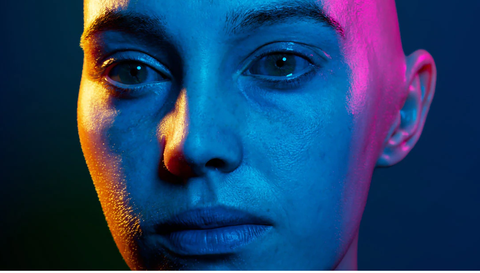
Integrated Arnold renderer Use Arnold Render View to view scene changes in real time, including lighting, materials, and cameras. |
GPU and CPU rendering Use Arnold for production rendering on both the CPU and GPU. |
Standard Surface Shader Model materials such as car paint, frosted glass, and plastic, and preview renders in the viewport. |
|
Look development with Hypershade Build shading networks by creating and connecting rendering nodes, such as textures, materials, and lights. |
Color management See accurate previews of final colors in the viewport and Render View. |
Motion graphics
|
MASH procedural effects Use MASH to create versatile motion design animations with procedural node networks. |
3D Type Create branding, flying logos, title sequences, and other projects that require text. |
Adobe Live link View a scene in both Maya and Adobe After Effects at the same time. |
Pipeline integration
|
Python 3 Create Maya scripts and write plug-ins using Python 3. |
Customization Customize how Maya looks and works to suit your pipeline. |
Scene Assembly tools Create large, complex worlds more easily and manage production assets as discrete elements. |
Compare
Compare Maya vs. Maya LT
| Provides artists, modelers, and animators with powerful 3D modeling, rendering, simulation, texturing, and animation tools. Get a familiar UI and workflow. | Model and animate characters and environments with cost-effective software built for indie game makers. |
USE FOR:
|
USE FOR:
|
WHAT IT DOES:
|
WHAT IT DOES:
|
 Maya Full
 Maya LT
Trial Download
Maya Trial Software Download
Download and test Maya before you make your purchasing decision.
HW Suggestions
Recommended System Specification
NOVEDGE is an authorized HP reseller that offers a wide range of professional quality notebooks and workstations to meet your hardware needs.
In addition, NOVEDGE works with High Speed Computing to customize workstations to give you the perfect hardware for your design needs at a competitive price. Contact us to discuss pre-built and custom configuration workstations and laptops.
You can find our selection of high performance hardware products at this LINK.
Below you can try our free experimental AI Service, which makes computer hardware recommendations for selected design software products. Our goal is to make it as good as a first line support human person, and it can work for you 24/7. Please give us your feedback to help make this service as good as it can be.
If you need help with sales instead, we have an excellent human team that will be happy to help you find the products best fit your needs from our very large selection of standard and custom workstations and laptops. You can get in touch with them by email at [email protected] or phone at 1-415-848-9018.
If you do not get a satisfactory answer try to rephrase the question in a more specific/detailed way
This service is a prototype and therefore it may return incorrect or incomplete answers. Furthermore, Artificial Intelligence is intrinsically prone to occasional mistakes, misunderstandings, and incomplete answers at least as much as human intelligence is.
This experimental service is offered as is and free of charge as a demonstration of the capabilities of Artificial Intelligence as an automated tool for support. Although the information found on this system has been produced and processed from sources believed to be reliable, no warranty, express or implied, is made regarding accuracy, adequacy, completeness, legality, reliability, or usefulness of any information.
Description
|
Highlights
|
Breathe life into 3D models with powerful animation tools Whether you’re animating lifelike digi doubles or lovable cartoon characters, Maya has the animation toolset to bring your 3D assets to life. |
|
Create detailed simulations with Bifrost for Maya From blazing explosions to complex snowstorms, Bifrost makes it possible to create physically accurate simulations in a single visual programming environment. |
|
What's New
|
|
Produce content faster and raise the bar of high-quality visuals with new capabilities in Maya. The latest release brings support for LookdevX, an agnostic material editor that allows you to share materials seamlessly across the pipeline and includes a new, modern, node-based environment for authoring material graphs like USD, MaterialX, and Arnold. Maya also offers you more artistic control with updates to modeling tools like Retopologize and the Boolean toolset, while animation and rigging updates keep you in the creative zone.
|
Key Features
From fantastic creatures to sweeping landscapes and explosive battle sequences, the Academy Award–winning Maya toolset is a top choice for creating believable characters and the worlds around them.
|
Bifrost for Maya Create physically accurate simulations in a single visual programming environment. |
USD in Maya Load and edit large datasets quickly and work directly with data using native tools. |
Fast playback Review animations faster and produce fewer playblasts with cached playback in Viewport 2.0. |
Unreal Live Link for Maya Stream animation data from Maya to Unreal in real time with the Unreal Live Link for Maya plug-in. |
|
Time editor Make high-level animation edits with a nondestructive, clip-based nonlinear editor. |
Graph editor Create, view, and modify animation curves using a graphical representation of scene animation. |
Polygon modeling Create 3D models using geometry based on vertices, edges, and faces. |
NURBS modeling Construct 3D models from geometric primitives and drawn curves. |
|
Character setup Create sophisticated skeletons, IK handles, and deformers for characters that deliver lifelike performances. |
Integrated Arnold renderer Use Arnold Render View to view scene changes in real time, including lighting, materials, and cameras. |
More Features
Dynamics and effects
|
|
|
|
|
Bifrost visual programming environment Create physically accurate and incredibly detailed simulations in a single visual programming environment. |
Ready-to-use graphs Create great-looking effects, such as snow and dust storms, right out of the box with prebuilt graphs. |
Interactive hair grooming Use powerful interactive groom tools to create realistic hair and fur for your characters. |
|
Bifrost Fluids Simulate and render photorealistic liquid effects. |
Bifrost Ocean Simulation System Create realistic ocean surfaces with waves, ripples, and wakes. |
Physics and effects Create highly realistic rigid, soft-body, cloth, and particle simulations. |
Universal Scene Description (USD) workflows
|
Lighting speed Load and edit massive data sets in a matter of seconds using USD in Maya. |
Seamless import/export Import USD data as native Maya data and export native Maya data as USD data. |
Lightweight previews See quick previews of USD scene structure using the new Hierarchy View Window. |
|
Native USD support Work directly with USD data in common Maya editors such as the Outliner and Attribute Editor. |
USD in the viewport See USD natively alongside Maya data in the viewport. |
Open source and fully customizable The Maya USD plug-in is available as an open-source project for studios to customize as needed. |
3D animation
|
|
|
|
Fast playback Review animations faster and produce fewer playblasts with cached playback in Viewport 2.0. |
Time Editor Make high-level animation edits with a nondestructive, clip-based, nonlinear editor. |
Graph Editor Create, view, and modify animation curves using a graphical representation of scene animation. |
|
Ghosting Editor Precisely visualize movement and the position of animated objects over time. |
Deformation effects Enhance character and object animation with powerful deformation effects. |
Native Motion Library plug-in Access high-quality motion capture data right in Maya. |
|
Unreal Live Link for Maya The Unreal Live Link plug-in lets you stream animation data from Maya to Unreal in real time. Whether working between the two in a virtual production environment or building your next game, you can now work on character assets in Maya and see your work reflected immediately in Unreal as you make changes. |
Blue pencil toolset Sketch poses over time, define motion arcs, mark up a shot, or add comments and annotations to your scene. |
Rigging
|
Character setup Create sophisticated skeletons, IK handles, and deformers for characters that deliver lifelike performances. |
Skinning Seamlessly bind any modeled surface to a skeleton using skinning. |
Retargeting Easily transfer animation between skeletons that have the same or different skeletal structures. |
3D modeling
|
|
|
|
Polygon modeling Create 3D models using geometry based on vertices, edges, and faces. |
NURBS modeling Construct 3D models from geometric primitives and drawn curves. |
UV editing and toolkit View and edit the UV texture coordinates for polygon, NURBS, and subdivision surfaces in a 2D view. |
|
Sculpting toolset Sculpt and shape models more artistically and intuitively. |
OpenSubdiv support Accelerate performance with interactive workflows. |
3D rendering and shading
|
|
|
|
Integrated Arnold renderer Use Arnold Render View to view scene changes in real time, including lighting, materials, and cameras. |
GPU and CPU rendering Use Arnold for production rendering on both the CPU and GPU. |
Standard Surface Shader Model materials such as car paint, frosted glass, and plastic, and preview renders in the viewport. |
|
Look development with Hypershade Build shading networks by creating and connecting rendering nodes, such as textures, materials, and lights. |
Color management See accurate previews of final colors in the viewport and Render View. |
Motion graphics
|
MASH procedural effects Use MASH to create versatile motion design animations with procedural node networks. |
3D Type Create branding, flying logos, title sequences, and other projects that require text. |
Adobe Live link View a scene in both Maya and Adobe After Effects at the same time. |
Pipeline integration
|
Python 3 Create Maya scripts and write plug-ins using Python 3. |
Customization Customize how Maya looks and works to suit your pipeline. |
Scene Assembly tools Create large, complex worlds more easily and manage production assets as discrete elements. |
Compare
Compare Maya vs. Maya LT
| Provides artists, modelers, and animators with powerful 3D modeling, rendering, simulation, texturing, and animation tools. Get a familiar UI and workflow. | Model and animate characters and environments with cost-effective software built for indie game makers. |
USE FOR:
|
USE FOR:
|
WHAT IT DOES:
|
WHAT IT DOES:
|
Trial Download
Maya Trial Software Download
Download and test Maya before you make your purchasing decision.
HW Suggestions
Recommended System Specification
NOVEDGE is an authorized HP reseller that offers a wide range of professional quality notebooks and workstations to meet your hardware needs.
In addition, NOVEDGE works with High Speed Computing to customize workstations to give you the perfect hardware for your design needs at a competitive price. Contact us to discuss pre-built and custom configuration workstations and laptops.
You can find our selection of high performance hardware products at this LINK.
Below you can try our free experimental AI Service, which makes computer hardware recommendations for selected design software products. Our goal is to make it as good as a first line support human person, and it can work for you 24/7. Please give us your feedback to help make this service as good as it can be.
If you need help with sales instead, we have an excellent human team that will be happy to help you find the products best fit your needs from our very large selection of standard and custom workstations and laptops. You can get in touch with them by email at [email protected] or phone at 1-415-848-9018.
If you do not get a satisfactory answer try to rephrase the question in a more specific/detailed way
This service is a prototype and therefore it may return incorrect or incomplete answers. Furthermore, Artificial Intelligence is intrinsically prone to occasional mistakes, misunderstandings, and incomplete answers at least as much as human intelligence is.
This experimental service is offered as is and free of charge as a demonstration of the capabilities of Artificial Intelligence as an automated tool for support. Although the information found on this system has been produced and processed from sources believed to be reliable, no warranty, express or implied, is made regarding accuracy, adequacy, completeness, legality, reliability, or usefulness of any information.