Power SubD-NURBS for 3ds Max
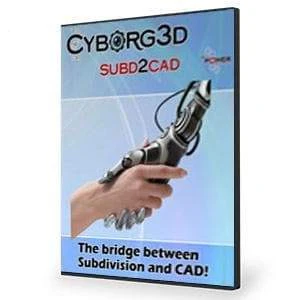
OverviewPower SubD-NURBS for 3ds Max bridges the gap between Sub-D modeling and CAD workflows, giving artists, engineers, and designers a seamless way to collaborate. This technology converts subdivision surface models into precise NURBS geometry that fits perfectly into professional CAD environments. You can now move effortlessly from concept sculpting to engineering, analysis, and manufacturing—bringing the freedom of Sub-D modeling into the precision-driven world of CAD.
Power SubD-NURBS for 3ds Max supports virtually any Sub-D mesh, even those containing triangles, and turns it into high-quality NURBS surfaces that interpolate the original vertices with impressive accuracy. Integrated directly into the 3ds Max modifier stack through the REMod modifier, it works especially well alongside Power NURBS. The combination lets you model quickly in Sub-D, convert to NURBS for booleans and fillets, and return to Sub-D for further refinement. It’s the powerful link that finally unites artistic flexibility with engineering precision.
|
|
Features
Power SubD-NURBS for 3ds Max allows you to:
- Quickly and accurately convert Sub-D models into a NURBS-based format that can easily interface with CAD systems and CAD modeling operations.
- Unite the diverse modeling paradigms of Sub-D (Subdivision Surface) modeling and CAD (NURBS-based) modeling.
- Combine the conceptual design process of Sub-D modeling with the engineering, analysis, and manufacturing design process of CAD operations.
- Add a new modifier (REMod) to the modifier stack. Apply this modifier to SubD models in order to convert them to a CAD compliant NURBS format.
- Convert virtually any Sub-D model (even SubD models that have some triangles) into a precise NURBS representation that can be read into virtually any CAD system.
- Create high quality surfaces, which accurately interpolate the vertices of the original Sub-D mesh.

$214.65
Original: $715.50
-70%Power SubD-NURBS for 3ds Max—
$715.50
$214.65
Description
OverviewPower SubD-NURBS for 3ds Max bridges the gap between Sub-D modeling and CAD workflows, giving artists, engineers, and designers a seamless way to collaborate. This technology converts subdivision surface models into precise NURBS geometry that fits perfectly into professional CAD environments. You can now move effortlessly from concept sculpting to engineering, analysis, and manufacturing—bringing the freedom of Sub-D modeling into the precision-driven world of CAD.
Power SubD-NURBS for 3ds Max supports virtually any Sub-D mesh, even those containing triangles, and turns it into high-quality NURBS surfaces that interpolate the original vertices with impressive accuracy. Integrated directly into the 3ds Max modifier stack through the REMod modifier, it works especially well alongside Power NURBS. The combination lets you model quickly in Sub-D, convert to NURBS for booleans and fillets, and return to Sub-D for further refinement. It’s the powerful link that finally unites artistic flexibility with engineering precision.
|
|
Features
Power SubD-NURBS for 3ds Max allows you to:
- Quickly and accurately convert Sub-D models into a NURBS-based format that can easily interface with CAD systems and CAD modeling operations.
- Unite the diverse modeling paradigms of Sub-D (Subdivision Surface) modeling and CAD (NURBS-based) modeling.
- Combine the conceptual design process of Sub-D modeling with the engineering, analysis, and manufacturing design process of CAD operations.
- Add a new modifier (REMod) to the modifier stack. Apply this modifier to SubD models in order to convert them to a CAD compliant NURBS format.
- Convert virtually any Sub-D model (even SubD models that have some triangles) into a precise NURBS representation that can be read into virtually any CAD system.
- Create high quality surfaces, which accurately interpolate the vertices of the original Sub-D mesh.