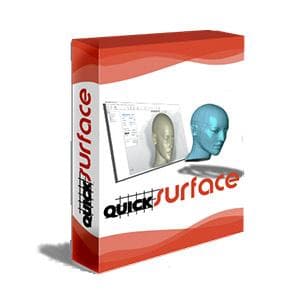
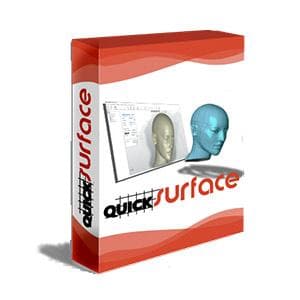
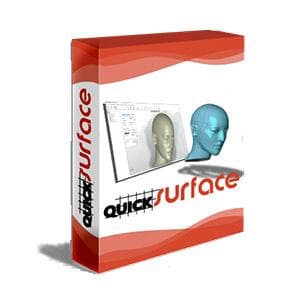
QUICKSURFACE Pro - Educational School/University License
|
|
Why QUICKSURFACE?
|
Some of the features that make QUICKSURFACE software different:
|
How it works
 |
 |
 |
|
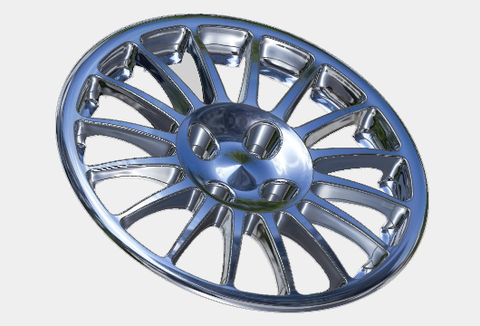
Start with a mesh Scan your product with any 3D scanner that can export STL, OBJ or PLY meshes or PTZ point clouds |
Convert to CAD Use QUICKSURFACE tolls to reconstruct the free form or parametric CAD surfaces and to remodel them to your needs |
Export & use it Export in industry standard STEP or IGES file format to other CAD/CAM packages or use your results for 3D printing or CNC machining |
Which version of QUICKSURFACE is right for you?
|
QUICKSURFACE Lite |
This QUICKSURFACE Pro product is a professional, complete solution for 3D Reverse Engineering. The software is compatible with any 3D scanner exporting STL, OBJ, or PLY meshes or PTX point clouds. It provides simple yet powerful tools for converting your digitized data into ready-to-use models. You can use it for both free-form modelling and parametric modelling. Additionally, automatic surfacing is available. Your high-quality models can be exported in standard IGES or STEP file formats to other CAD/CAM packages, or you can use them for 3D printing or CNC machining. |
Features
QUICKSURFACE is scan to CAD software for transforming 3D scan meshes from any 3D scanner into CAD models. Equipped with simple yet powerful features you can quickly convert your digitized data into ready to use models. Explore some of the main features.
 |
 |
 |
|
Scan Data Import Load data from any scanner using the industry standard STL, OB or PLY mesh files. For long range scanners, the data can be imported using PTX file format. Being a 64 bit application allows the user to load any size mesh. For the purposes of manipulation the build-in polygon reduction function allows the user to create a mesh with suitable number of triangles without compromising the quality of the mesh |
Interactive selection Simple to use tools to quickly extract areas of interes. Magic wand, brush and free form selection allows the user to identify the areas that represent features or free form surfaces |
Primitives extraction Reconstruct quickly planes, cylinders, cones and spheres. Create relations between them as peprendicularity, parallelism and coincidence. You can also create a reference geometries like lines and points for use in align mesh to space operation for correctly positioning the object into the world coordinate system |
 |
 |
 |
|
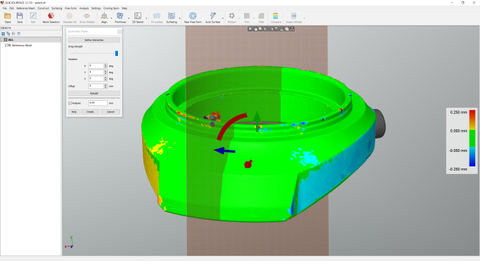
Symmetry Plane Find a plane of symmetry of the object. Use the analyser to identify the quality of the position of the plane. Fine tune the position with on-screen controls to achieve the best results |
Object align Position the object into the world coordinate system using the extracted primitives. The interactive definition of the coordinate system allows the user to adjust the correct orientation of the object |
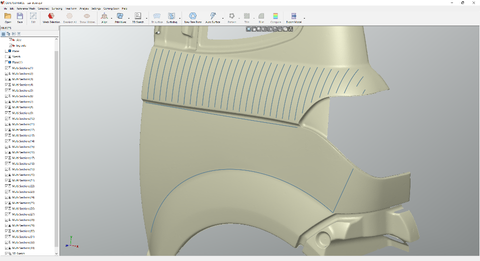
2D Sectioning Interactive sectioning allows the user to extract rerefence points for 2D Sketching. Align the section plane to extracted primitives, CAD faces and even create section interactively on the screen. For the purposes of lofting - the user can also create multiple sections at once |
 |
 |
 |
|
Constrained 2D Sketching Use dimensions and constraints to create accurate sketches like in any other CAD package |
3D Sketching, Loft, Sweep surfacing Draw free form curves directly on the reference mesh then create surfaces by standard commands - loft, sweep, pipe. Join the surface or use them in trimming operations |
Fit Surface Select area of interest and let the software to approximate the selection with a free form surface. The resulting surface is extended so it is suitable for trimming. The real-time deviation colour map instantly shows the quality of the surface. Automatic option allows the user to create surface as close as possible to the reference mesh |
 |
 |
 |
|
Free Form Modelling Quad surface allows the user to reconstruct free form surface which is not possible with the standard surfacing methods. Proprietary snap-to-mesh technology allows even non-professionals to create shapes in no time - something not available in any other solutions |
Real-time deviation analyser Speed optimised real-time distance colour map allows the user to keep everything in control and get the most accurate results |
Automatic Surfacing Create surface on organic shapes with just hit of a button. No user interaction required. QUICKSURFACE provides you with one of the best automatic surfacing available today. The algorithm optimises the number of resulting nurb patches to be minimal. The surface quality is G2 everywhere and G1 at extraordinary points |
 |
 |
 |
|
Hybrid parametric modelling Together of being parametric for the standard features, the software allows you to create CAD models as a combination of free form and prismatic features. The user can always get back and modify even the free form surfaces if needed and get the results reconstructed |
Triming & Boolean operations Create surfaces or solids by using mutual trim operation or boolean operations on solids. The coloured display and diagnostic tools allow you to identify the issues while performing these operations |
Fillet & Chamfer The chamfer and fillet operations provide a realtime analyser. Just drag the arrow to define the fillet radius on the screen and see immediatelly the deviation of the fillets against the reference mesh. And all this in real-time |
 |
 |
|
|
Deviation Analyser Control the accuracy of your reconstruction with the efficient distance colour map. Compare the CAD model against the reference mesh at any time of your process |
Link to other CAD Packages Export reconstructed surfaces or solid models for use in other packages using the industry standard format STEP or IGES. |
Original: $1,120.00
-70%$1,120.00
$336.00
Description
|
|
Why QUICKSURFACE?
|
Some of the features that make QUICKSURFACE software different:
|
How it works
|
|
|
|
Start with a mesh Scan your product with any 3D scanner that can export STL, OBJ or PLY meshes or PTZ point clouds |
Convert to CAD Use QUICKSURFACE tolls to reconstruct the free form or parametric CAD surfaces and to remodel them to your needs |
Export & use it Export in industry standard STEP or IGES file format to other CAD/CAM packages or use your results for 3D printing or CNC machining |
Which version of QUICKSURFACE is right for you?
|
QUICKSURFACE Lite |
This QUICKSURFACE Pro product is a professional, complete solution for 3D Reverse Engineering. The software is compatible with any 3D scanner exporting STL, OBJ, or PLY meshes or PTX point clouds. It provides simple yet powerful tools for converting your digitized data into ready-to-use models. You can use it for both free-form modelling and parametric modelling. Additionally, automatic surfacing is available. Your high-quality models can be exported in standard IGES or STEP file formats to other CAD/CAM packages, or you can use them for 3D printing or CNC machining. |
Features
QUICKSURFACE is scan to CAD software for transforming 3D scan meshes from any 3D scanner into CAD models. Equipped with simple yet powerful features you can quickly convert your digitized data into ready to use models. Explore some of the main features.
|
|
|
|
Scan Data Import Load data from any scanner using the industry standard STL, OB or PLY mesh files. For long range scanners, the data can be imported using PTX file format. Being a 64 bit application allows the user to load any size mesh. For the purposes of manipulation the build-in polygon reduction function allows the user to create a mesh with suitable number of triangles without compromising the quality of the mesh |
Interactive selection Simple to use tools to quickly extract areas of interes. Magic wand, brush and free form selection allows the user to identify the areas that represent features or free form surfaces |
Primitives extraction Reconstruct quickly planes, cylinders, cones and spheres. Create relations between them as peprendicularity, parallelism and coincidence. You can also create a reference geometries like lines and points for use in align mesh to space operation for correctly positioning the object into the world coordinate system |
|
|
|
|
Symmetry Plane Find a plane of symmetry of the object. Use the analyser to identify the quality of the position of the plane. Fine tune the position with on-screen controls to achieve the best results |
Object align Position the object into the world coordinate system using the extracted primitives. The interactive definition of the coordinate system allows the user to adjust the correct orientation of the object |
2D Sectioning Interactive sectioning allows the user to extract rerefence points for 2D Sketching. Align the section plane to extracted primitives, CAD faces and even create section interactively on the screen. For the purposes of lofting - the user can also create multiple sections at once |
|
|
|
|
Constrained 2D Sketching Use dimensions and constraints to create accurate sketches like in any other CAD package |
3D Sketching, Loft, Sweep surfacing Draw free form curves directly on the reference mesh then create surfaces by standard commands - loft, sweep, pipe. Join the surface or use them in trimming operations |
Fit Surface Select area of interest and let the software to approximate the selection with a free form surface. The resulting surface is extended so it is suitable for trimming. The real-time deviation colour map instantly shows the quality of the surface. Automatic option allows the user to create surface as close as possible to the reference mesh |
|
|
|
|
Free Form Modelling Quad surface allows the user to reconstruct free form surface which is not possible with the standard surfacing methods. Proprietary snap-to-mesh technology allows even non-professionals to create shapes in no time - something not available in any other solutions |
Real-time deviation analyser Speed optimised real-time distance colour map allows the user to keep everything in control and get the most accurate results |
Automatic Surfacing Create surface on organic shapes with just hit of a button. No user interaction required. QUICKSURFACE provides you with one of the best automatic surfacing available today. The algorithm optimises the number of resulting nurb patches to be minimal. The surface quality is G2 everywhere and G1 at extraordinary points |
|
|
|
|
Hybrid parametric modelling Together of being parametric for the standard features, the software allows you to create CAD models as a combination of free form and prismatic features. The user can always get back and modify even the free form surfaces if needed and get the results reconstructed |
Triming & Boolean operations Create surfaces or solids by using mutual trim operation or boolean operations on solids. The coloured display and diagnostic tools allow you to identify the issues while performing these operations |
Fillet & Chamfer The chamfer and fillet operations provide a realtime analyser. Just drag the arrow to define the fillet radius on the screen and see immediatelly the deviation of the fillets against the reference mesh. And all this in real-time |
|
|
|
|
Deviation Analyser Control the accuracy of your reconstruction with the efficient distance colour map. Compare the CAD model against the reference mesh at any time of your process |
Link to other CAD Packages Export reconstructed surfaces or solid models for use in other packages using the industry standard format STEP or IGES. |