✨ New Arrivals Just Dropped!Explore
HomeStore

SketchUp Studio – Subscription

SketchUp Studio – Subscription


Overview


SketchUp Studio
has everything you need to design better buildings. Advance your workflow with this comprehensive solution for Architecture, Engineering, and Construction (AEC) professionals.

With SketchUp Studio you can model your project with the SketchUp tools you know and love, plus all you have all the analysis tools you need to build efficient buildings. The simplest way to steer your projects ahead with confidence.

With this full-featured desktop 3D modeling software, you will add visual impact to your design narrative, accurately model in 3D using point cloud data, and get consensus on your design.


Highlights


Interoperable workflows


Efficiently move between SketchUp and other core modeling tools such as Revit to improve collaboration across teams and iterate across design phases.

  • Model with precisionImport, view, and model straight on point clouds to detail existing conditions and develop ideas with accuracy.
  • Present compelling visuals - Compose stunning, photorealistic visuals and complex animations quickly and easily.
  • Align teams - Quickly iterate on concepts with designers and across teams using file sharing and real-time, interactive rendering.


Beautiful designs, backed by data


Move designs forward with confidence
Quickly import, view, and model straight on point cloud data to ensure design accuracy.

Communicate your designs
From conceptual to photoreal, create compelling visual assets quickly and with ease.

Collaborate efficiently
Access, review, and annotate up-to-date models and drawings in a single, robust platform.

Accurately model in 3D


Increase workflow efficiency by importing, viewing and modeling directly on point cloud data from terrestrial scans, photogrammetry, lidar sensors, mobile mapping, and drone captures. Use Scan Essentials to precisely — and rapidly — ensure model accuracy no matter the size of your file. Finalize the 3D details and prep your project for the final build by creating 2D documentation from point cloud data directly in LayOut.


Generate high-quality visuals


From detailed high-rise buildings to interior floor plans, add realism into your projects using V-Ray®. With atmospheric effects, global illumination, natural lighting, real-life textures, and shading options, you will truly be able to showcase your project in the best light with just a few steps.


What's included


Scan Essentials
Import and accurately model on point clouds.

V-Ray
Create photorealistic and real-time visuals.

Revit Importer
Import Revit files into SketchUp with a few clicks.

SketchUp for Desktop
Full-featured and extensible desktop modeler for creating 3D models, visuals, schedules, and more.

SketchUp for Web
Create, edit, and share 3D models straight in your web browser.

SketchUp for iPad
Sketch, mark up, and collaborate in 3D anywhere.

Trimble Connect
Unlimited cloud storage. Unlimited projects. Endless collaboration workflows.

LayOut
Create rich 2D documentation that combines reference images, PDFs, and DWGs with 3D assets.

PreDesign
Get data and recommendations to weave contextual insights into your designs before you launch into 3D.

3D Warehouse
Browse and download millions of pre-built 3D models.

Extension Warehouse
Customize your workflow with third-party extensions.


SketchUp Viewer
Explore 3D models in a view-only mode from your desktop and smartphone.


Compare


What version of Sketchup is right for you?

Go Pro Studio

Includes:

  • Access 4M+ pre-built 3D models
  • Augmented reality mobile viewer
  • Unlimited cloud storage
  • Experience reality (XR) headset viewing
Everything in Go plus:
  • Desktop, iPad, and web-based 3D modelers
  • 2D design documentation
  • Quick insights for design research
  • Access to plugins for extending SketchUp for Desktop functionality
Everything in Pro plus:
  • Import Revit files into SketchUp in a few clicks
  • Revit-to-SketchUp importer
  • Model on point clouds in 3D and document in 2D
  • Create real-time visualizations and photorealistic images
  • Export fully rendered animations and 360° panoramas


Main Features

Pro

Studio

Desktop 3D modeling

Web-based 3D modeling

Quick insights for design research

2D Design & Documentation

XR Headset Viewing

AR mobile viewer

Pre-built 3D models (unlimited access)


Extend SketchUp Pro Desktop functionality

Unlimited cloud storage


Access and configure live components

Create and edit dynamic components

Import and view point clouds in SketchUp

Model on point cloud data using SketchUp’s native tools

Adjust point cloud color and transparency

Real-time visualization viewport

High-quality photorealistic rendering

High-fidelity, render-ready 3D object library

Create custom styles, materials, and line types

Work offline

File import and export capabilities


Download


SketchUp Product Software Download


Download and try your full installation of SketchUp before you make your purchasing decision.


Tutorials


SketchUp Tutorials


You can find a collection of our favorite SketchUp Tutorials here:


Select Title
From $819.00
SketchUp Studio – Subscription
$819.00
Product image 1

Description


Overview


SketchUp Studio
has everything you need to design better buildings. Advance your workflow with this comprehensive solution for Architecture, Engineering, and Construction (AEC) professionals.

With SketchUp Studio you can model your project with the SketchUp tools you know and love, plus all you have all the analysis tools you need to build efficient buildings. The simplest way to steer your projects ahead with confidence.

With this full-featured desktop 3D modeling software, you will add visual impact to your design narrative, accurately model in 3D using point cloud data, and get consensus on your design.


Highlights


Interoperable workflows


Efficiently move between SketchUp and other core modeling tools such as Revit to improve collaboration across teams and iterate across design phases.

  • Model with precisionImport, view, and model straight on point clouds to detail existing conditions and develop ideas with accuracy.
  • Present compelling visuals - Compose stunning, photorealistic visuals and complex animations quickly and easily.
  • Align teams - Quickly iterate on concepts with designers and across teams using file sharing and real-time, interactive rendering.


Beautiful designs, backed by data


Move designs forward with confidence
Quickly import, view, and model straight on point cloud data to ensure design accuracy.

Communicate your designs
From conceptual to photoreal, create compelling visual assets quickly and with ease.

Collaborate efficiently
Access, review, and annotate up-to-date models and drawings in a single, robust platform.

Accurately model in 3D


Increase workflow efficiency by importing, viewing and modeling directly on point cloud data from terrestrial scans, photogrammetry, lidar sensors, mobile mapping, and drone captures. Use Scan Essentials to precisely — and rapidly — ensure model accuracy no matter the size of your file. Finalize the 3D details and prep your project for the final build by creating 2D documentation from point cloud data directly in LayOut.


Generate high-quality visuals


From detailed high-rise buildings to interior floor plans, add realism into your projects using V-Ray®. With atmospheric effects, global illumination, natural lighting, real-life textures, and shading options, you will truly be able to showcase your project in the best light with just a few steps.


What's included


Scan Essentials
Import and accurately model on point clouds.

V-Ray
Create photorealistic and real-time visuals.

Revit Importer
Import Revit files into SketchUp with a few clicks.

SketchUp for Desktop
Full-featured and extensible desktop modeler for creating 3D models, visuals, schedules, and more.

SketchUp for Web
Create, edit, and share 3D models straight in your web browser.

SketchUp for iPad
Sketch, mark up, and collaborate in 3D anywhere.

Trimble Connect
Unlimited cloud storage. Unlimited projects. Endless collaboration workflows.

LayOut
Create rich 2D documentation that combines reference images, PDFs, and DWGs with 3D assets.

PreDesign
Get data and recommendations to weave contextual insights into your designs before you launch into 3D.

3D Warehouse
Browse and download millions of pre-built 3D models.

Extension Warehouse
Customize your workflow with third-party extensions.


SketchUp Viewer
Explore 3D models in a view-only mode from your desktop and smartphone.


Compare


What version of Sketchup is right for you?

Go Pro Studio

Includes:

  • Access 4M+ pre-built 3D models
  • Augmented reality mobile viewer
  • Unlimited cloud storage
  • Experience reality (XR) headset viewing
Everything in Go plus:
  • Desktop, iPad, and web-based 3D modelers
  • 2D design documentation
  • Quick insights for design research
  • Access to plugins for extending SketchUp for Desktop functionality
Everything in Pro plus:
  • Import Revit files into SketchUp in a few clicks
  • Revit-to-SketchUp importer
  • Model on point clouds in 3D and document in 2D
  • Create real-time visualizations and photorealistic images
  • Export fully rendered animations and 360° panoramas


Main Features

Pro

Studio

Desktop 3D modeling

Web-based 3D modeling

Quick insights for design research

2D Design & Documentation

XR Headset Viewing

AR mobile viewer

Pre-built 3D models (unlimited access)


Extend SketchUp Pro Desktop functionality

Unlimited cloud storage


Access and configure live components

Create and edit dynamic components

Import and view point clouds in SketchUp

Model on point cloud data using SketchUp’s native tools

Adjust point cloud color and transparency

Real-time visualization viewport

High-quality photorealistic rendering

High-fidelity, render-ready 3D object library

Create custom styles, materials, and line types

Work offline

File import and export capabilities


Download


SketchUp Product Software Download


Download and try your full installation of SketchUp before you make your purchasing decision.


Tutorials


SketchUp Tutorials


You can find a collection of our favorite SketchUp Tutorials here:


You may also like

-70%
Thumbnail 1

progeEARTH COGO Only

$399.00

$119.70

Thumbnail 1

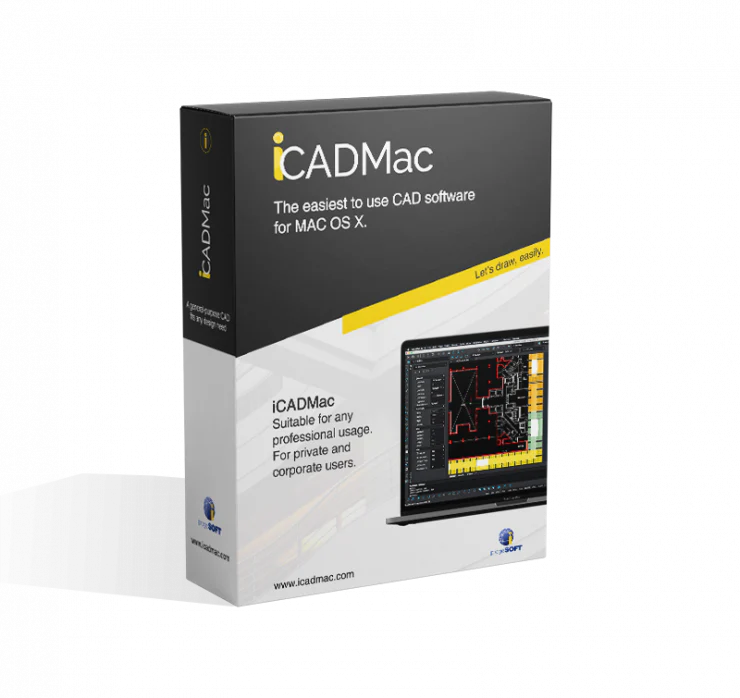
iCADMac

$925.00

-70%
Thumbnail 1

RPS 3D PDF for SketchUp

$90.25

$27.07

-70%
Thumbnail 1

nXtRender for Revit

$332.00

$99.60

-70%
Thumbnail 1

Reach CAD - Subscription

$2,049.00

$614.70

-70%
Thumbnail 1

RpTools for SketchUp

$70.00

$21.00

-70%
Thumbnail 1

Render Plus - Classroom License

$636.00

$190.80

Thumbnail 1

3D PDF Exporter for Revit

$104.00

-70%
Thumbnail 1

Reach Fashion Studio - Subscription

$2,049.00

$614.70

-70%
Thumbnail 1

3D PDF Exporter for AutoCAD

$104.00

$31.20

Thumbnail 1

3D PDF Exporter for AutoCAD Civil 3D

$95.00

-70%
Thumbnail 1

3D PDF Exporter for Navisworks

$104.00

$31.20

SketchUp Studio – Subscription | NOVEDGE