TurboCAD Mac 16 Platinum
Overview
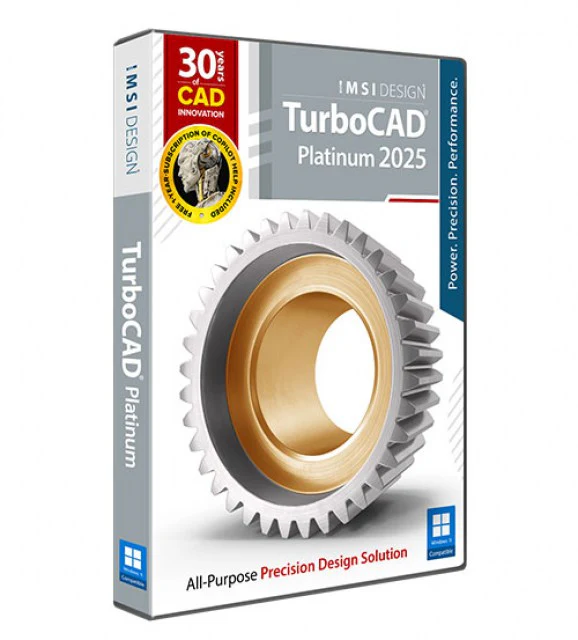
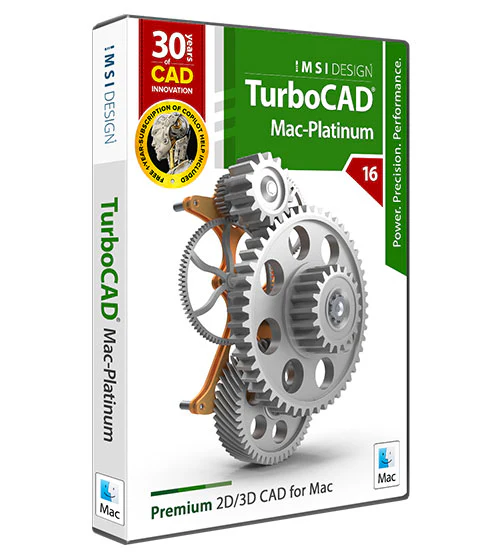
Step up from the basics and embrace the power of TurboCAD® Mac Platinum, the professional-grade CAD design solution that delivers unparalleled quality without breaking the bank. Experience the versatility of mesh-based modeling enhanced with subdivision technology, streamlining the creation of conceptual sketches and complex models. TurboCAD® Mac Platinum also offers seamless 2D switching, allowing effortless transitions between 2D and 3D perspectives to suit your design process |
|
 |
TurboCAD Platinum can help you design projects such as:
|
What's new
|
|
|
|
TurboCAD Mac Copilot Unlock the full potential of your design process with Copilot, the AI-driven companion seamlessly integrated into TurboCAD® Mac. This integrated AI tool streamlines navigation, expedites your project's progress, and enhances your design endeavors with insightful analysis. Copilot supports two levels: TurboCAD® Mac Copilot Help and TurboCAD® Mac Copilot Professional. |
Tool Help Within TurboCAD Mac Copilot TurboCAD® Mac has taken a significant step forward by integrating its tool help content directly within TurboCAD® Mac Copilot. This integration means that users have immediate access to a wealth of information, including text descriptions, visual aids through images, and, for some topics, even video links. |
|
|
|
|
Layer Sets Enhance your TurboCAD® Mac experience with the Layer Sets feature, a powerful tool designed to optimize your design space. Layer Sets enable you to effortlessly save and manage your layers, view orientations, and zoom levels, ensuring a seamless transition between different phases of your project. |
Fastener Library Enhance your TurboCAD® Mac designs with the ANSI Fastener Library, a comprehensive collection of nuts, bolts, and washers. Now easily accessible within the Symbol tab in the Concept Explorer, this library simplifies the insertion of fastening components into your projects. |
|
|
|
|
Blend Version TurboCAD® Mac now offers the flexibility to revert the ACIS blend version to a previous setting, providing an alternative solution when the default blend doesn’t meet your needs. |
Convert Text to Surface
The change object type tool now supports converting text to ACIS surface faces.
This feature is a testament to our commitment to providing versatile and powerful tools for designers to express their creativity without limitations.
|
|
|
|
|
Symbol Manager Preview Sizes Elevate your design process with the versatile Symbol Manager in TurboCAD® Mac’s Concept Explorer. Now featuring three distinct preview size options, you can customize how you view and select symbols with ease. |
Shear Transform
Introducing the Shear Transform feature in TurboCAD® Mac, a dynamic addition to the Transform Utilities palette. This new option brings a fresh dimension to your design toolkit, allowing you to apply shear transformations to curves, surfaces, and solids with precision and ease. |
|
|
|
|
Verify Clearance Elevate your design precision with TurboCAD® Mac’s Verify Clearance feature. This innovative tool now includes the capability to accurately calculate the spatial clearance between two solids, ensuring your components fit together perfectly. |
Surface Cover from Points
Transform your design process with TurboCAD® Mac’s Surface Cover from Points feature. This new addition to the Surface tool palette empowers you to craft surfaces directly from designated point locations, offering unparalleled precision and customization. |
|
|
|
|
New Render Example File Explore the nuances of creating stunning, realistic images through our detailed example file. Learn how to leverage HDR for vivid lighting and how to position cameras for the perfect shot, enhancing the visual impact of your designs. |
Custom User Textures
TurboCAD® Mac 15 introduces a new feature that greatly enhances the customization of 3D models: the capability to create and store custom textures. This addition allows users to craft unique textures that can be applied to various surfaces within their designs, providing an extra layer of personalization and detail. |
Key Features
- PROFESSIONAL 2D/3D CAD SOFTWARE: TurboCAD Platinum is professional 2D/3D CAD software for users who need advanced capabilities at an affordable price. This product has an unparalleled selection of tools to create everything from advanced mechanical design to musical instruments. Some of our key features include
- 2D DESIGN AND EDITING: TurboCAD is rich in professional 2D/3D design tools and drawing aids that speed design. Create views and viewports of any size and shape. Access extensive paper space and printing options. Multi-select drawing tool, dimension tools, and more. Read more about 2D Design in TurboCAD
- 2D GEOMETRIC AND DIMENSIONAL CONSTRAINTS: By setting up Constraints in a drawing, TurboCAD users have greater control to enforce design intent, as 2D Constraints typically drive 3D model design. Read more about Parametric Constraints. Read more about Parametric Constraints
- PART TREE/HISTORY TREE: Maintains your design history. Return to any procedural step in your design and make modifications without losing subsequent work. Works like a Selective UNDO/REDO. Read More about the Part Tree
- ACIS SOLID MODELING / ADVANCED MECHANICAL DESIGN: TurboCAD Platinum provides advanced 3D surface and ACIS® solid modeling tools. The thread tool, twisted extrude, extrude to face, imprint tool, parametric holes, imprint and more enable the easy creation of your more complicated professional designs. Access advanced modification tools like bend, unbend, and facet offset make it easier to modify existing geometry. Smooth surface mesh / sub-D modeling tools are also available allowing for the creation of more organic shapes. Read more about TurboCAD Solid Modeling. Read More about TurboCAD Solid Modeling
- ARCHITECTURAL & GIS TOOLS: An integrated suite of architectural tools are included, such a parametric architectural objects that are AutoCAD® Architecture (ACA) compatible so that .DWG models with ACA extensions may be read, modified, and documented as needed. Read More about TurboCAD Architectural Tools
- POWERFUL DRAFTING PALETTE: Create associative views, 2D sections, and detailed views that can be updated in real-time – even from an Xref. Works with both ACIS® Solids and Surface models. Read More about the Drafting Palette
- ADVANCED 3D SURFACE MODELING: Includes a complete set of 3D surface modeling and editing tools making it ideal for both single part and small assembly mechanical designs. Platinum has advanced surfaces, and also smooth surface meshes. Read more about 3D Surface Modeling in TurboCAD. Read more about Advanced 3D Surface Modeling
- PROFESSIONAL MECHANICAL CAD NATIVE FILE TRANSLATORS: Import 3D model designs from enterprise CAD Modelers such as CATIA, SolidWorks, Solid Edge, Inventor, NX and ProE
- PROGRAMMABLE (SDK & RUBY SCRIPTING): Extend the functionality by developing new tools, functions, and behaviors. Custom routines that are performed on a regular basis can be automated. Specific tools for vertical applications can be created and added. Read more about Programming for TurboCAD
- POINT CLOUD SUPPORT: Use your 3D scanner to collect data about an existing object’s dimensions, and import the point cloud files into a drawing in TurboCAD 2020 Platinum.
- DESIGN DIRECTOR PALETTE: Provides advanced controls for Layers, Layer Filters, creating Layer Sets, setting and saving Work Planes, controlling Named Views, and more to streamline work and enhance productivity. Read more about the Design Director Palette. Read More about the Design DirectorP
- PHOTOREALISTIC RENDERING & VISUALIZATION: The LightWorks® rendering engine creates stunning presentations. Render management of materials, luminance, environments, and advanced render styles give you truly photorealistic results. An optional rendering plug-in from Redway takes advantage of your computer’s GPU and produces faster, stunning photorealistic images. Read more about TurboCAD Visualization features. Read more about TurboCAD Visualization
-
COMPATIBILITY AND FILE SHARING: Whether you’re a team of one or many, you’ll have the interoperability needed to collaborate. We’ve ensured that TurboCAD is compatible with a wide variety of popular CAD and Graphics formats. You will be able to deliver files that can be opened and edited by users of AutoCAD® and other popular design software. Your team will be running like a well-oiled machine.
• TurboCAD provides compatibility with AutoCAD® DWG and DXF files, from R12 to 2024
• STL Import/Export for 3D printing
• SVG Export
• 3MF Import/Export
• VMRL Worlds Import/Export
• OBJ Import/Export
• Adobe Illustrator® Import
• PDF Export
• SketchUp 2024 Import/Export
• Collada™ (DAE) Import/Export
• Professional, Mechanical CAD Import from CATIA, Solidworks and more
Description
Overview
Step up from the basics and embrace the power of TurboCAD® Mac Platinum, the professional-grade CAD design solution that delivers unparalleled quality without breaking the bank. Experience the versatility of mesh-based modeling enhanced with subdivision technology, streamlining the creation of conceptual sketches and complex models. TurboCAD® Mac Platinum also offers seamless 2D switching, allowing effortless transitions between 2D and 3D perspectives to suit your design process |
|
|
TurboCAD Platinum can help you design projects such as:
|
What's new
|
|
|
|
TurboCAD Mac Copilot Unlock the full potential of your design process with Copilot, the AI-driven companion seamlessly integrated into TurboCAD® Mac. This integrated AI tool streamlines navigation, expedites your project's progress, and enhances your design endeavors with insightful analysis. Copilot supports two levels: TurboCAD® Mac Copilot Help and TurboCAD® Mac Copilot Professional. |
Tool Help Within TurboCAD Mac Copilot TurboCAD® Mac has taken a significant step forward by integrating its tool help content directly within TurboCAD® Mac Copilot. This integration means that users have immediate access to a wealth of information, including text descriptions, visual aids through images, and, for some topics, even video links. |
|
|
|
|
Layer Sets Enhance your TurboCAD® Mac experience with the Layer Sets feature, a powerful tool designed to optimize your design space. Layer Sets enable you to effortlessly save and manage your layers, view orientations, and zoom levels, ensuring a seamless transition between different phases of your project. |
Fastener Library Enhance your TurboCAD® Mac designs with the ANSI Fastener Library, a comprehensive collection of nuts, bolts, and washers. Now easily accessible within the Symbol tab in the Concept Explorer, this library simplifies the insertion of fastening components into your projects. |
|
|
|
|
Blend Version TurboCAD® Mac now offers the flexibility to revert the ACIS blend version to a previous setting, providing an alternative solution when the default blend doesn’t meet your needs. |
Convert Text to Surface
The change object type tool now supports converting text to ACIS surface faces.
This feature is a testament to our commitment to providing versatile and powerful tools for designers to express their creativity without limitations.
|
|
|
|
|
Symbol Manager Preview Sizes Elevate your design process with the versatile Symbol Manager in TurboCAD® Mac’s Concept Explorer. Now featuring three distinct preview size options, you can customize how you view and select symbols with ease. |
Shear Transform
Introducing the Shear Transform feature in TurboCAD® Mac, a dynamic addition to the Transform Utilities palette. This new option brings a fresh dimension to your design toolkit, allowing you to apply shear transformations to curves, surfaces, and solids with precision and ease. |
|
|
|
|
Verify Clearance Elevate your design precision with TurboCAD® Mac’s Verify Clearance feature. This innovative tool now includes the capability to accurately calculate the spatial clearance between two solids, ensuring your components fit together perfectly. |
Surface Cover from Points
Transform your design process with TurboCAD® Mac’s Surface Cover from Points feature. This new addition to the Surface tool palette empowers you to craft surfaces directly from designated point locations, offering unparalleled precision and customization. |
|
|
|
|
New Render Example File Explore the nuances of creating stunning, realistic images through our detailed example file. Learn how to leverage HDR for vivid lighting and how to position cameras for the perfect shot, enhancing the visual impact of your designs. |
Custom User Textures
TurboCAD® Mac 15 introduces a new feature that greatly enhances the customization of 3D models: the capability to create and store custom textures. This addition allows users to craft unique textures that can be applied to various surfaces within their designs, providing an extra layer of personalization and detail. |
Key Features
- PROFESSIONAL 2D/3D CAD SOFTWARE: TurboCAD Platinum is professional 2D/3D CAD software for users who need advanced capabilities at an affordable price. This product has an unparalleled selection of tools to create everything from advanced mechanical design to musical instruments. Some of our key features include
- 2D DESIGN AND EDITING: TurboCAD is rich in professional 2D/3D design tools and drawing aids that speed design. Create views and viewports of any size and shape. Access extensive paper space and printing options. Multi-select drawing tool, dimension tools, and more. Read more about 2D Design in TurboCAD
- 2D GEOMETRIC AND DIMENSIONAL CONSTRAINTS: By setting up Constraints in a drawing, TurboCAD users have greater control to enforce design intent, as 2D Constraints typically drive 3D model design. Read more about Parametric Constraints. Read more about Parametric Constraints
- PART TREE/HISTORY TREE: Maintains your design history. Return to any procedural step in your design and make modifications without losing subsequent work. Works like a Selective UNDO/REDO. Read More about the Part Tree
- ACIS SOLID MODELING / ADVANCED MECHANICAL DESIGN: TurboCAD Platinum provides advanced 3D surface and ACIS® solid modeling tools. The thread tool, twisted extrude, extrude to face, imprint tool, parametric holes, imprint and more enable the easy creation of your more complicated professional designs. Access advanced modification tools like bend, unbend, and facet offset make it easier to modify existing geometry. Smooth surface mesh / sub-D modeling tools are also available allowing for the creation of more organic shapes. Read more about TurboCAD Solid Modeling. Read More about TurboCAD Solid Modeling
- ARCHITECTURAL & GIS TOOLS: An integrated suite of architectural tools are included, such a parametric architectural objects that are AutoCAD® Architecture (ACA) compatible so that .DWG models with ACA extensions may be read, modified, and documented as needed. Read More about TurboCAD Architectural Tools
- POWERFUL DRAFTING PALETTE: Create associative views, 2D sections, and detailed views that can be updated in real-time – even from an Xref. Works with both ACIS® Solids and Surface models. Read More about the Drafting Palette
- ADVANCED 3D SURFACE MODELING: Includes a complete set of 3D surface modeling and editing tools making it ideal for both single part and small assembly mechanical designs. Platinum has advanced surfaces, and also smooth surface meshes. Read more about 3D Surface Modeling in TurboCAD. Read more about Advanced 3D Surface Modeling
- PROFESSIONAL MECHANICAL CAD NATIVE FILE TRANSLATORS: Import 3D model designs from enterprise CAD Modelers such as CATIA, SolidWorks, Solid Edge, Inventor, NX and ProE
- PROGRAMMABLE (SDK & RUBY SCRIPTING): Extend the functionality by developing new tools, functions, and behaviors. Custom routines that are performed on a regular basis can be automated. Specific tools for vertical applications can be created and added. Read more about Programming for TurboCAD
- POINT CLOUD SUPPORT: Use your 3D scanner to collect data about an existing object’s dimensions, and import the point cloud files into a drawing in TurboCAD 2020 Platinum.
- DESIGN DIRECTOR PALETTE: Provides advanced controls for Layers, Layer Filters, creating Layer Sets, setting and saving Work Planes, controlling Named Views, and more to streamline work and enhance productivity. Read more about the Design Director Palette. Read More about the Design DirectorP
- PHOTOREALISTIC RENDERING & VISUALIZATION: The LightWorks® rendering engine creates stunning presentations. Render management of materials, luminance, environments, and advanced render styles give you truly photorealistic results. An optional rendering plug-in from Redway takes advantage of your computer’s GPU and produces faster, stunning photorealistic images. Read more about TurboCAD Visualization features. Read more about TurboCAD Visualization
-
COMPATIBILITY AND FILE SHARING: Whether you’re a team of one or many, you’ll have the interoperability needed to collaborate. We’ve ensured that TurboCAD is compatible with a wide variety of popular CAD and Graphics formats. You will be able to deliver files that can be opened and edited by users of AutoCAD® and other popular design software. Your team will be running like a well-oiled machine.
• TurboCAD provides compatibility with AutoCAD® DWG and DXF files, from R12 to 2024
• STL Import/Export for 3D printing
• SVG Export
• 3MF Import/Export
• VMRL Worlds Import/Export
• OBJ Import/Export
• Adobe Illustrator® Import
• PDF Export
• SketchUp 2024 Import/Export
• Collada™ (DAE) Import/Export
• Professional, Mechanical CAD Import from CATIA, Solidworks and more