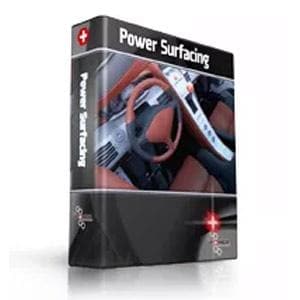
Power Surfacing 10.0 for SOLIDWORKS - Upgrade
Overview
Power Surfacing for SOLIDWORKS makes it easy and fun to design complex free form, aesthetically pleasing "Class A" surfaces in SolidWorks. No longer will you have to fight with patching a set of trimmed surfaces together to form complex curved shapes; manipulating Power Surfacing parts is as simple as modeling with clay. With the release of Version 4.1, Power Surfacing has turned its Power Body objects into macro features so that they behave more like typical SolidWorks features, and they can be created and edited directly from SolidWorks assemblies. And you can now easily use Power Surfacing bodies as instances or references. |
|
What's New
The latest release is a major upgrade for Power Surfacing. It includes some new features requested by customers, and it greatly improves productivity and usability. Power Surfacing makes designing complex shapes easier and faster so that they can be manufactured precisely. Here are some of the new features:
|
|
|
Features
|
|
Benefits
Neither Sub-D (Subdivision Surface) modeling nor NURBS modeling can effectively solve all 3-D design problems. Each has strengths and weaknesses. Sub-D modeling is great at producing and modifying complex freeform / organic shapes with smooth surfaces. NURBS modeling is good at combining shapes via. Boolean and Feature operations as well as refining shapes with operations like filleting, blending and face editing. We really see Power Surfacing as a novel and powerful unification piece between these two technologies. Being able to use both modeling paradigms together in the modeling process provides huge productivity advantages in both the design and revision process. With the ability to connect Power Surface Sub-D objects directly to existing SOLIDWORKS® objects and to update the Sub-D to correspond to history tree modifications. Power Surfacing essentially provides dimension driven Sub-D modeling. Power Surfacing freeform design combined with SOLIDWORKS® parametric design provides SOLIDWORKS® users with a ground breaking Industrial Design toolkit.
Some of the industries supported by Power Surfacing include:
- Industrial Design
- Ergonomics
- Sporting goods & clothing
- Toys
- Character design
- Powertools and other handheld devices
- Jewelry
- Cutlery
- Furniture
- Automotive
- Art
- Packaging
- Robotics
Original: $755.00
-70%$755.00
$226.50
Description
Overview
Power Surfacing for SOLIDWORKS makes it easy and fun to design complex free form, aesthetically pleasing "Class A" surfaces in SolidWorks. No longer will you have to fight with patching a set of trimmed surfaces together to form complex curved shapes; manipulating Power Surfacing parts is as simple as modeling with clay. With the release of Version 4.1, Power Surfacing has turned its Power Body objects into macro features so that they behave more like typical SolidWorks features, and they can be created and edited directly from SolidWorks assemblies. And you can now easily use Power Surfacing bodies as instances or references. |
|
What's New
The latest release is a major upgrade for Power Surfacing. It includes some new features requested by customers, and it greatly improves productivity and usability. Power Surfacing makes designing complex shapes easier and faster so that they can be manufactured precisely. Here are some of the new features:
|
|
|
Features
|
|
Benefits
Neither Sub-D (Subdivision Surface) modeling nor NURBS modeling can effectively solve all 3-D design problems. Each has strengths and weaknesses. Sub-D modeling is great at producing and modifying complex freeform / organic shapes with smooth surfaces. NURBS modeling is good at combining shapes via. Boolean and Feature operations as well as refining shapes with operations like filleting, blending and face editing. We really see Power Surfacing as a novel and powerful unification piece between these two technologies. Being able to use both modeling paradigms together in the modeling process provides huge productivity advantages in both the design and revision process. With the ability to connect Power Surface Sub-D objects directly to existing SOLIDWORKS® objects and to update the Sub-D to correspond to history tree modifications. Power Surfacing essentially provides dimension driven Sub-D modeling. Power Surfacing freeform design combined with SOLIDWORKS® parametric design provides SOLIDWORKS® users with a ground breaking Industrial Design toolkit.
Some of the industries supported by Power Surfacing include:
- Industrial Design
- Ergonomics
- Sporting goods & clothing
- Toys
- Character design
- Powertools and other handheld devices
- Jewelry
- Cutlery
- Furniture
- Automotive
- Art
- Packaging
- Robotics