✨ New Arrivals Just Dropped!Explore
HomeStore

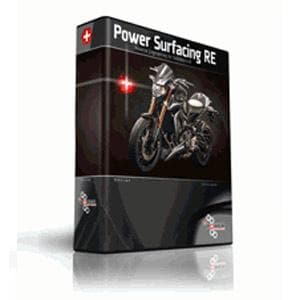
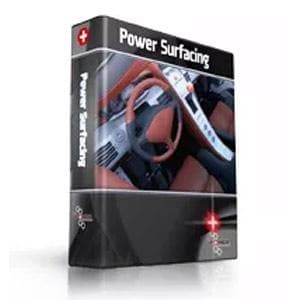
Power Surfacing RE for SOLIDWORKS - Educational

Power Surfacing RE for SOLIDWORKS - Educational


Overview


Power Surfacing RE for SOLIDWORKS
 is an add-in reverse engineering (RE) product for SolidWorks 3D design software that significantly improves the process for reverse engineering scanned meshes, other mesh data, and SolidWorks geometry within SolidWorks. 
Power Surfacing RE for SOLIDWORKS has a unique set of tools to allow you to rebuild shapes from a large variety of polygonal meshes. It can import meshes from: 3D scanners, Finite Element Modeling (FEA), 3D sculpting programs, 3D printer files, other polygonal modeling tools, and online polygonal model databases. 
Power Surfacing RE for SOLIDWORKS has the ability to constrain to and reference underlying meshes to capture the original design shape. The Power Surfacing RE for SOLIDWORKS tools enable you to quickly define a Power Surface shape over the top of the referenced mesh. With the existing Power Surfacing tools you will be able to modify and evolve the design.


    New in this version


    The latest release is a power packed upgrade for Power Surfacing RE. It includes a big boost to workflow efficiency, making Power Surfacing RE a powerful, unmatched tool for reverse engineering scanned meshes, other meshes, or SOLIDWORKS® geometry. This version also includes many new general Power Surfacing tools (which are all included in Power Surfacing RE). Here are some of the major 
    new features:


    • New Quad Wrap: improved for accuracy, speed, better topology. Will also automatically detect and close most open edges.
    • Improved Shrink Wrap: automatically checks for and fixes many self-intersections.
    • Mesh Smooth: new command that will smooth out the entire mesh. Great for messy imported mesh cleanup.
    • Mesh Offset: Offset the mesh to make a thickness.
    • Import point clouds (OBJ files)
    • Automated scanned mesh conversion: New automated conversion tools greatly simplify the process of converting scanned meshes into SolidWorks geometry.
    • Superior accuracy: New patent pending technology allows customers to reverse engineer scanned meshes and capture / convert the fine details of the scanned mesh. Typically, capturing this high level of accuracy would create extremely large models (or even fail due to memory constraints). But with patent pending Power Surfacing RE technology, even large, highly detailed scans can be reverse engineered into accurate, editable SolidWorks geometry.
    • Follows curvature and mesh flow: Power Surfacing RE uniquely follows the flow lines and features of the scanned mesh when converting it into NURBS / CAD geometry. The result is a super accurate, editable model, optimized for usage in the CAD environment.
    • Curvature driven surface knot density: Power Surfacing RE is highly intelligent in handling large scanned meshes. It uses patent pending technology to capture fine details, without bloating the model size. The result is an optimal, custom model based on the user's desired accuracy.
    • Topology Optimization: Power Surfacing RE can take SolidWorks "Topology Study" models and turn that data into usable SolidWorks solids geometry.
    • Semi-automated tools for finding and fixing anomalies: Even with the best scanners, the scanned meshes that are produced can have flaws and problems. Scanners may produce anomalies due to inaccuracy or scanning visibility (tears, rips, holes, overlaps, etc.). Scanned objects might also have edges or surfaces that are worn or damaged (the scanner may be accurate, but the objects themselves may be damaged). 
      Power Surfacing RE 6.0  for SOLIDWORKS has automated tools to identify the problem areas in the scanned mesh, and tools to fix those problems with a minimal amount of effort.


    Features


    • Includes the full Power Surfacing Toolset
    • Import meshes and display as a reference mesh
    • Convert existing SolidWorks geometry into reference mesh
    • Drawing tools with automatic face creation
    • Constrain points to reference mesh
    • Automatic retopologizing of enclosed areas
    • Add geometry to cover holes while matching curvature in reference mesh
    • Distance display to measure approximation of reference mesh
    • Interpolate or "vacuum seal" to closely approximate the reference mesh shape


    Benefits


    Power Surfacing RE allows the customer to reverse engineer free form organic shapes in SOLIDWORKS®. Existing products specialize in recreating precise prismatic parts from scanned meshes. However, dealing with organic / freeform shapes is extremely problematic...until now! Power Surfacing RE opens the doors to greater creativity and design flexibility. Now you are no longer limited to conventional design shapes. Power Surfacing RE allows you to reverse engineer human forms, animal shapes, car bodies, and other freeform representations.

    Some of the industries that Power Surfacing RE supports include:

    • Industrial Design
    • Ergonomics
    • Sporting goods & clothing
    • Toys
    • Character design
    • Analysis of organic parts
    • Dental
    • Re-purposing existing designs
    • Handheld devices
    • Power tools
    • Jewelry
    • Cutlery
    • Furniture
    • Automotive
    • Art
    • Clay model digitizing
    • Cosmetics


    Edu Proof


    Proof of Academic Status


    Students

    If you are a student with an acceptable form of academic ID at a primary school, secondary school, college, university, or career state-accredited school, you qualify to order a single-user educational license.

    Provide your academic ID AND one of the following with your order:

    • Your current class schedule DATED for the current school term
    • Your transcript DATED for the current school term
    • Your tuition bill DATED for the current school term

    There is a limit of one license per product, per individual at the Educational price.

    The Educational license is for that individual's own use -not to be shared with others, or installed throughout their company.

    Faculty/Staff

    If you are a member of the faculty or staff with an acceptable form of academic ID at a primary school, secondary school, college, university, or career state-accredited school, you qualify to order a single-user educational license.

    Provide one of the following with your order:

    • Your current course schedule DATED for the current school term
    • Faculty/staff pay stub from the current school term

    Schools

    Any government accredited school can order single-user educational licenses or lab licenses on a school purchase order or procurement card.

    These licenses can only be run on computers owned by the school.

    Sending the Proof

    Information regarding where to send your Proof of Educational Status will be automatically e-mailed to you upon receipt of your order. You can also check our Educational Orders FAQ.


    $88.50

    Original: $295.00

    -70%
    Power Surfacing RE for SOLIDWORKS - Educational

    $295.00

    $88.50
    Product image 1

    Description


    Overview


    Power Surfacing RE for SOLIDWORKS
     is an add-in reverse engineering (RE) product for SolidWorks 3D design software that significantly improves the process for reverse engineering scanned meshes, other mesh data, and SolidWorks geometry within SolidWorks. 
    Power Surfacing RE for SOLIDWORKS has a unique set of tools to allow you to rebuild shapes from a large variety of polygonal meshes. It can import meshes from: 3D scanners, Finite Element Modeling (FEA), 3D sculpting programs, 3D printer files, other polygonal modeling tools, and online polygonal model databases. 
    Power Surfacing RE for SOLIDWORKS has the ability to constrain to and reference underlying meshes to capture the original design shape. The Power Surfacing RE for SOLIDWORKS tools enable you to quickly define a Power Surface shape over the top of the referenced mesh. With the existing Power Surfacing tools you will be able to modify and evolve the design.


      New in this version


      The latest release is a power packed upgrade for Power Surfacing RE. It includes a big boost to workflow efficiency, making Power Surfacing RE a powerful, unmatched tool for reverse engineering scanned meshes, other meshes, or SOLIDWORKS® geometry. This version also includes many new general Power Surfacing tools (which are all included in Power Surfacing RE). Here are some of the major 
      new features:


      • New Quad Wrap: improved for accuracy, speed, better topology. Will also automatically detect and close most open edges.
      • Improved Shrink Wrap: automatically checks for and fixes many self-intersections.
      • Mesh Smooth: new command that will smooth out the entire mesh. Great for messy imported mesh cleanup.
      • Mesh Offset: Offset the mesh to make a thickness.
      • Import point clouds (OBJ files)
      • Automated scanned mesh conversion: New automated conversion tools greatly simplify the process of converting scanned meshes into SolidWorks geometry.
      • Superior accuracy: New patent pending technology allows customers to reverse engineer scanned meshes and capture / convert the fine details of the scanned mesh. Typically, capturing this high level of accuracy would create extremely large models (or even fail due to memory constraints). But with patent pending Power Surfacing RE technology, even large, highly detailed scans can be reverse engineered into accurate, editable SolidWorks geometry.
      • Follows curvature and mesh flow: Power Surfacing RE uniquely follows the flow lines and features of the scanned mesh when converting it into NURBS / CAD geometry. The result is a super accurate, editable model, optimized for usage in the CAD environment.
      • Curvature driven surface knot density: Power Surfacing RE is highly intelligent in handling large scanned meshes. It uses patent pending technology to capture fine details, without bloating the model size. The result is an optimal, custom model based on the user's desired accuracy.
      • Topology Optimization: Power Surfacing RE can take SolidWorks "Topology Study" models and turn that data into usable SolidWorks solids geometry.
      • Semi-automated tools for finding and fixing anomalies: Even with the best scanners, the scanned meshes that are produced can have flaws and problems. Scanners may produce anomalies due to inaccuracy or scanning visibility (tears, rips, holes, overlaps, etc.). Scanned objects might also have edges or surfaces that are worn or damaged (the scanner may be accurate, but the objects themselves may be damaged). 
        Power Surfacing RE 6.0  for SOLIDWORKS has automated tools to identify the problem areas in the scanned mesh, and tools to fix those problems with a minimal amount of effort.


      Features


      • Includes the full Power Surfacing Toolset
      • Import meshes and display as a reference mesh
      • Convert existing SolidWorks geometry into reference mesh
      • Drawing tools with automatic face creation
      • Constrain points to reference mesh
      • Automatic retopologizing of enclosed areas
      • Add geometry to cover holes while matching curvature in reference mesh
      • Distance display to measure approximation of reference mesh
      • Interpolate or "vacuum seal" to closely approximate the reference mesh shape


      Benefits


      Power Surfacing RE allows the customer to reverse engineer free form organic shapes in SOLIDWORKS®. Existing products specialize in recreating precise prismatic parts from scanned meshes. However, dealing with organic / freeform shapes is extremely problematic...until now! Power Surfacing RE opens the doors to greater creativity and design flexibility. Now you are no longer limited to conventional design shapes. Power Surfacing RE allows you to reverse engineer human forms, animal shapes, car bodies, and other freeform representations.

      Some of the industries that Power Surfacing RE supports include:

      • Industrial Design
      • Ergonomics
      • Sporting goods & clothing
      • Toys
      • Character design
      • Analysis of organic parts
      • Dental
      • Re-purposing existing designs
      • Handheld devices
      • Power tools
      • Jewelry
      • Cutlery
      • Furniture
      • Automotive
      • Art
      • Clay model digitizing
      • Cosmetics


      Edu Proof


      Proof of Academic Status


      Students

      If you are a student with an acceptable form of academic ID at a primary school, secondary school, college, university, or career state-accredited school, you qualify to order a single-user educational license.

      Provide your academic ID AND one of the following with your order:

      • Your current class schedule DATED for the current school term
      • Your transcript DATED for the current school term
      • Your tuition bill DATED for the current school term

      There is a limit of one license per product, per individual at the Educational price.

      The Educational license is for that individual's own use -not to be shared with others, or installed throughout their company.

      Faculty/Staff

      If you are a member of the faculty or staff with an acceptable form of academic ID at a primary school, secondary school, college, university, or career state-accredited school, you qualify to order a single-user educational license.

      Provide one of the following with your order:

      • Your current course schedule DATED for the current school term
      • Faculty/staff pay stub from the current school term

      Schools

      Any government accredited school can order single-user educational licenses or lab licenses on a school purchase order or procurement card.

      These licenses can only be run on computers owned by the school.

      Sending the Proof

      Information regarding where to send your Proof of Educational Status will be automatically e-mailed to you upon receipt of your order. You can also check our Educational Orders FAQ.