Rhino 8 - 3D CAD for Windows and Mac
Overview
McNeel's Rhinoceros 3D is favored by Industrial Designers, Architects, and CAD specialists due to its dynamic NURBS engine that enables swift and precise creation and alterations of intricate forms. Rhino for Windows & Mac supports various geometrical types, including polygons, curves, surfaces, and point clouds, ensuring that every design challenge can be met. This industrial design modeling application not only allows for the direct modeling of complex shapes but also facilitates their acquisition via 3D digitizers, without limitations on complexity or size. |
|
What's new
Rhino 8 introduces an array of new modeling tools, including ShrinkWrap, an impressive speed enhancement for Mac users, SubD Creases, PushPull workflows, improved drafting tools, a more customizable User Interface, a faster rendering engine, new Grasshopper data types, and much more!
ShrinkWrap - Turn Garbage To Gold
Generate a watertight mesh around any geometry, whether it be open or closed meshes, NURBS geometry, SubD, or point clouds. Perfect for 3D printing.

ShrinkWrap is excellent for generating:
|
|
Modeling Simplified
Rhino 8 unveils new modeling workflows, such as PushPull, and adds intuitive features to the Gumball, Automatic CPlanes, and more…
These enhancements make modeling more engaging and user-friendly. By using these tools together, common solid creation and editing tasks become easier and allow you to work in a single Perspective view while modeling.
 |
 |
 P P |
||
|
Modeling Simplified
Rhino's model creation instruments are flexible, accurate, open, and exceptionally popular. |
Auto CPlanes Intelligent CPlanes automatically align to suitable selections. |
Gumball The move, scale, rotate widget introduces new grips for extending and extruding. |
PushPull Select a face to push or pull, extending or extruding it. |
Inset New options and support for surfaces and polysurface faces. |
SubD Creases
SubD Creases create a distinct feature between a smooth edge and a sharp one without complicating the SubD control net, ideal for designing fillet-like features.

Accurate, organic modeling has become simpler. Interact with complex, free-form shapes in real time by pushing and pulling.
SubD objects are highly precise and can be directly converted to manufacturable solids.
You can also transform scan or mesh data into SubD objects, and then optionally to NURBS.
Optimized for Mac: Metal
Rhino for Mac is now faster than ever, operating natively on both Apple Silicon and Intel Macs, utilizing Apple Metal display technology. The User Interface on Mac has also become more similar to its Windows counterpart!
To use Metal, Rhino requires either an Intel or Apple Silicon Mac running macOS Monterey 12.4 or newer.
 |
 |
 |
 |
 |
|
Optimized for Mac: Metal Incredibly fast 3D drawing, providing a substantial speed boost for Mac users. |
Universal App Rhino for Mac runs natively on Apple Silicon and Intel Macs. |
Window Layouts Customize, save, share, and restore your preferred interface layouts. |
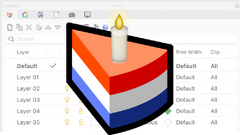
Layer Manager A thorough overhaul on both Windows and Mac, featuring new enhancements. |
Rendering: Rapid Feedback We've upgraded the Cycles engine for faster, GPU-driven raytracing. |
Clipping and Sectioning
Rhino 8 brings several enhancements to clipping and sectioning, aiding various drafting and fabrication processes.
 |
 |
 |
 |
 |
|
Section Styles Utilize Section Styles to generate detailed sections of your models. |
Selective Clipping Selective clipping and view depth control. |
Dynamic Vector Drawings Create dynamic vector illustrations of clipping sections. |
Clipped Views Integrate Clipping Plane views into 2D layouts. |
Sectioning for Fabrication Extract section curves and slices for production. |
Presentation
Rhino 8 features an updated Cycles Render engine, refined UV Workflow, enhanced procedural textures, introduced a new display mode, and more…
 |
 |
 |
 |
 |
|
Rendering: Rapid Feedback Our Cycles engine has been refined for faster, GPU-accelerated raytracing. |
UV Mapping UV Mapping has been enhanced with a comprehensive UV Editor and new unwrapping techniques. |
Procedural Textures Native, per-pixel procedural textures available in raytraced and rendered modes. |
Monochrome A sleek, minimal Display Mode, ideal for showcasing architectural work. |
Improved Rendering UI More compact, efficient, and interactive management and editing features. |
Grasshopper: Rhino Data Types
Rhino Data Types enable geometry to be baked with custom attributes, facilitate import of more file formats, control blocks, utilize native materials in the display pipeline, create hatches and annotations, and provide numerous other expanded workflows…
 |
 |
 |
 |
 |
|
Grasshopper: Object Attributes Manage Rhino object attributes within Grasshopper. |
Grasshopper: Annotations Customize the appearance of annotations in Grasshopper. |
Grasshopper: Blocks Create block definitions and instances directly in Grasshopper. |
Grasshopper: Live Baking Live update existing Rhino objects from within Grasshopper. |
Grasshopper: UserText Add user text to Rhino objects as needed. |
Rhino Refined
Numerous bugs have been resolved, with new Linetypes added, enhancements to Mesh Booleans, improvements in surface editing tools, and more…
 |
 |
 |
 |
 |
|
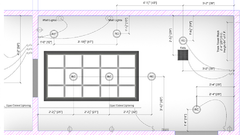
Linetypes New linetypes in Rhino 8 enable stylized curves with adjustable width and taper. |
RefitTrim Enhance control over structure and continuity for high-quality surface models. |
Surface Fillets The FilletSrf tool now features a new UI with dynamic radius previews. |
Window Layouts Customize, save, share, and restore preferred interface configurations. |
Supported File Formats Now includes USD export, glTF, E57 in Rhino for Mac, and Dynamic Blocks in DWGs. |
 |
 |
 |
 |
 |
Development Platform
Rhino 8 introduces a new code editor, expands support for CPython and .NET 7, brings significant enhancements to our free SDKs, refining the API, and incorporates major new functionalities to enhance the geometry development platform.
|
Scripting Introducing a completely revamped editor for Python 3 and C#, within both Rhino and Grasshopper. |
Code-Driven File IO Effortlessly read and write any format supported by Rhino entirely via code. |
rhino3dm Rendering Assets Read and write rendering assets from openNURBS or rhino3dm. |
.NET 7 Target Microsoft .NET 7 across both Windows and Rhino for Mac. |
RhinoCommon New APIs for Shrinkwrap, Flair, Code-Driven File IO, and much more... |
And More
Rhino 8 introduces a variety of new command options.

Features
Rhino can create, edit, analyze, document, render, animate, and translate NURBS curves, surfaces and solids, subdivision geometry (SubD), point clouds, and polygon meshes. There are virtually no limits on complexity, degree, or size beyond the capabilities of your hardware.
Special features include:
- Unrestrained free-form 3D modeling tools comparable to high-end systems. Model any shape you envision.
- Accuracy essential for designing, prototyping, engineering, analyzing, and producing everything from aircraft to jewelry.
- Compatibility with all your design, drafting, CAM, engineering, analysis, rendering, animation, and illustration software.
- Ability to read and fix challenging IGES files.
- User-friendly interface that makes it easy to learn and use, enabling you to concentrate on design and visualization without software distractions.
- Rapid performance, even on standard laptops; no special hardware is required.
- A development platform for numerous specialty 3D applications.
- Affordable pricing with ordinary hardware requirements and a short learning curve. Priced similarly to other Windows software, without maintenance fees.
- Cross-Platform: The world’s most adaptable 3D modeler, available on both Windows and macOS.
NOTE: Rhino for Mac does not include all the commands found in Rhino for Windows.
Model Creation Tools
- Points: Points, point clouds, point grid, extract from objects, mark (intersection, divide, draftangle, ends, closest, foci).
- Curves: Line, polyline, polyline on mesh, free-form curve, circle, arc, ellipse, rectangle, polygon, helix, spiral, conic, TrueType text, point interpolation, control points (vertices), sketch.
- Curves from other objects: Through points, through polyline, extend, continue curve, fillet, chamfer, offset, blend, arc blend, from two views, tween, cross section profiles, intersection, contour on NURBS surface or mesh, section on NURBS surface or mesh, border, silhouette, extract isoparm, extract curvature graph, projection, pullback, sketch, wireframe, detach trim, 2D drawings with dimensions and text, flatten developable surfaces.
- Surfaces: From 3 or 4 points, from 3 or 4 curves, from planar curves, from a network of curves, rectangle, deformable plane, extrude, ribbon, rule, loft with tangency matching, developable, swept along a path with edge matching, swept along two rail curves maintaining edge continuity, revolve, rail revolve, tween, blend, patch, drape, point grid, heightfield, fillet, chamfer, offset, plane through points, TrueType text, Unicode (double-byte) text.
- Solids: Box, sphere, cylinder, tube, pipe, cone, truncated cone, pyramid, truncated pyramid, ellipsoid, torus, extrude planar curve, extrude surface, cap planar holes, join surfaces, region, nonmanifold merge, TrueType text, Unicode (double-byte) text.
- Meshes: Derived from NURBS surfaces, closed polylines, mesh faces, planes, boxes, cylinders, cones, and spheres.
- Rhino 8 introduces numerous refinements to existing tools along with some new ones:
- 8 Modeling Simplified: Merge new tools to rapidly sketch your concepts in 3D.
- PushPull: Select a face to push or pull, allowing for extrusion or extension. PushPull accelerates modeling by utilizing curves to add or subtract volumes from existing surfaces.
- Gumball: The move, scale, rotate widget now features new grips for extending and extruding.
- SubD: SubD Creases, perfect for crafting fillet-like features.
- Surface Fillets: The FilletSrf tool has been upgraded with a new UI, including dynamic radius previews.
- Offset: The offset function can now create multiple enclosed areas.
Editing
- General Tools: Deleting, removing duplicates, joining, merging, trimming, untrimming, splitting, exploding, extending, filleting, chamfering, object properties, history.
- Transform Tools: Cutting, copying, pasting, moving, rotating, mirroring, scaling, stretching, aligning, arraying, twisting, bending, tapering, shearing, offsetting, orienting, flowing along curves, pulling, projecting, box editing, smashing, squishing.
- Points and curves: Control points, editing points, handlebars, smoothing, fairing, altering degree, adding/removing knots, creating kinks, rebuilding, refitting, matching, simplifying, adjusting weight, making periodic, modifying end bulge, changing seam, aligning to edges, converting to arcs, polylines, or line segments.
- Surfaces: Control points, handlebars, changing degree, adding/removing knots, matching, extending, merging, joining, untrimming, splitting surfaces by isoparms, rebuilding, shrinking, making periodic, Boolean operations (union, difference, intersection), unrolling developable surfaces, arraying along curves on surfaces.
- Solids: Filleting edges, extracting surfaces, shelling, Boolean operations (union, difference, intersection).
- Meshes: Exploding, joining, welding, unifying normals, applying to surfaces, reducing polygons.
- Editing complex models in Rhino 8 has become fast and straightforward:
- Gumball: The move, scale, rotate widget now includes new grips for extending and extruding.
- Auto CPlanes: Smarter CPlanes intuitively align to eligible selections.
- Enhanced Mesh Booleans: Completely revamped and more reliable Mesh Booleans.
- RefitTrim: Gain control over structure and continuity for well-constructed surface models.
Interface
- User interface: Coordinate readouts, a floating/dockable command area, pop-up for recently-used commands, clickable command options, auto-complete command line, customizable pop-up commands, layer manager, synchronized views, camera-based view manipulation, perspective match images, adjustable middle mouse button, personalized icons and workspace, transparent toolbars, and a context-sensitive right-click menu.
- Construction aids: Unlimited undo and redo, multipliers for undo and redo, precise numeric input in various units, .x, .y, .z point filters, object snaps with labels, grid snaps, ortho, and layers.
- Rhino for Mac embraces macOS user interface standards.
- Rhino 8 offers a significantly more customizable User Interface, even on Mac, featuring:
- Window Layouts: Customize, save, share, and restore your preferred interface styles.
- Layer Manager: Completely revamped for both Windows and Mac, now featuring new capabilities.
- Blocks: The Block Manager now offers enhanced flexibility and power.
- Surface Fillets: The FilletSrf tool has a new UI including dynamic radius previews.
Display
- Features include: incredibly quick 3D graphics, unlimited viewports, shaded and working views, named views, floating views, full-screen display, draw order support, two-point perspective, and clipping planes, enabling one-to-one scale for viewing models at full size.
- New in Rhino 8:
- Metal: Blazing fast 3D drawing specifically for Mac.
- New Display Mode: Monochrome, offering a sleek, minimal aesthetic, perfect for showcasing architectural designs.
Rendering and Presentation
High-quality presentations are vital for most design projects.
- Features include Rhino Render, a ray-tracing renderer supporting textures, bumps, highlights, transparency, adjustable spotlights, and shadows, while allowing customizable resolutions and real-time rendering previews.
- New in Rhino 8:
- Rhino Render: The Cycles engine has been updated for faster, GPU-accelerated raytracing.
- UV Mapping: Enhancements in UV Mapping offer a new floating UV Editor, optimized unwrapping processes, and improved texture quality in displays.
- Procedural Textures: Support for native, pixel-level procedural textures in both raytraced and rendered states.
- Display Modes: Monochrome, presenting a clean, minimal design, ideal for exposure of architectural projects.
Drafting
Every type of physical product design depends on technical illustrations and 2D drawings to effectively convey ideas, specifications, and instructions for those involved in design, development, and production. Our objective for Rhino is to streamline the process of creating 2D drawings and illustrations across varying disciplines and notational systems worldwide.
- Annotation objects include: arrows, points, dimensions (horizontal, vertical, aligned, rotated, radial, diameter, angle), text blocks, leaders, and hidden line removal, supporting Unicode (double-byte) for text, dimensions, and annotations. Dimensions in perspective views are also supported.
- New in Rhino 8:
- Linetypes: Features stylized curves with patterns, widths, and tapers to enhance design communication.
- Reflected Ceiling Plans: A reflected parallel projection viewport, ideal for RCPs.
- Dynamic 2D Drawings
- Section Styles: New clipping planes and section styles for enhanced control.
Digital Fabrication
Originally developed over 25 years ago, Rhino started as a tool for marine designers to build computer models for digitally controlled fabrication equipment.
In Rhino 8, explore:
- ShrinkWrap: ShrinkWrap generates a watertight mesh around open or closed meshes, NURBS geometry, SubD, and point clouds; perfect for 3D printing.
- Sectioning for Fabrication: Aiding in the extraction of curves, hatches, surfaces, and slices via clipping planes.
Mesh Tools
Comprehensive mesh import, export, creation, and editing capabilities are essential at every stage of design, including:
- Transferring 3D data from digitization and scanning into Rhino as mesh models.
- Interfacing mesh data with various applications like SketchUp® and Modo®.
- Exporting meshes for analysis, rendering, prototyping, and production.
- Transforming NURBS into meshes for display and rendering.
- QuadRemesh: Efficiently create a quad mesh from existing surfaces, solids, meshes, or SubDs; perfect for rendering, animation, CFD, FEA, and reverse engineering.
- In Rhino 8, try out:
- Improved Mesh Booleans: Completely overhauled for enhanced reliability.
- ShrinkWrap: Enables the creation of watertight meshes around various geometries, perfect for 3D printing.
3D Capture
Catching existing 3D data is often one of the initial steps in a design project. Rhino has consistently offered support for both 3D digitizing hardware and scanning point cloud data. Now, Rhino supports:
- Large point clouds: 3D scanners have become more efficient and affordable, leading to the prevalence of expansive scan files.
- Rhino’s 64-bit architecture and enhanced graphic co-processors have enabled effective management of these large point clouds.
- LiDAR: Obtain 3D terrain data encompassing agriculture, archaeology, conservation, geology, land planning, surveying, transportation, and optimizing wind, solar, and cell tower deployments. Rhino for Windows robustly supports plugins, such as RhinoTerrain™, providing specialized tools for new Rhino users.
3D digitizing support: Microscribe®, FaroArm®, and ROMER - Windows only.
Inspection and Analysis
Quality 3D models are crucial at every design, presentation, analysis, and fabrication phase. Rhino incorporates tools to ensure your 3D models maintain extremely high quality throughout your processes.
- Analysis: Evaluate points, lengths, distances, angles, radii, bounding boxes, direction normals, areas, centroids, moments, volumes, hydrostatics, surface curvature, geometric continuity, deviation, nearest points, curvature graphs on curves and surfaces, naked edges, and analysis viewport modes for working surfaces (draft angles, zebra stripes, environment maps with surface blending, display edges, naked edges, and curvature analyses).
- New in Rhino 8:
- Curvature Analysis: Now includes support for SubDs.
- Draft Angle Analysis: Utilize Named CPlanes and a smarter CPlane Z option, which automatically adjusts direction when toggling options.
- Point Deviation: Now supports SubDs and highlights invalid distances in red.
Large Projects
File management tools are essential for overseeing large projects and teams, featuring notes, templates, file merging, object exporting, compact saving, incremental saving, bitmap previews, Rhino file previews, origin point exports, and worksessions (Windows only) alongside blocks and compression for meshes and previews.
Compatibility
Rhino is compatible with numerous CAD, CAM, CAE, rendering, and animation applications. The openNURBS libraries allow countless others to read and write Rhino’s native 3DM files.
Additionally, Rhino 8 now supports:
- USD Export: An extensible universal format commonly employed in visualization applications.
- GLTF Import/Export: GL Transmission Format, beneficial for sharing 3D models online utilizing WebGL.
- Improved support for a variety of formats.
Grasshopper
Grasshopper serves as a graphical algorithm editor accompanying Rhino.
Unlike RhinoScript, Rhino.Python, or any other coding languages, Grasshopper does not require programming knowledge while still enabling developers and designers to create form-generation algorithms without writing code.
New in Grasshopper 1 in Rhino 8:
- Object Attributes: Directly manage Rhino object attributes within Grasshopper.
- Annotations: Document your design effectively using Grasshopper’s annotation, hatch, and linetype components.
- Blocks: Develop block definitions and instances in Grasshopper.
- Live Baking: Update existing Rhino objects dynamically from Grasshopper.
- UserText: Add, modify, or remove custom text from any Rhino object.
Developer Tools
The leading 3D development platform for specialty modeling, rendering, analysis, and fabrication tools across various fields.
- Enhanced accessibility to development tools: RhinoCommon (.NET), Grasshopper, Rhino.Python, RhinoScript, the Zoo license manager for plugins, and the Rhino Package Manager are essential components.
- In-depth documentation available.
- An active developer community.
- Open-source development tools for Rhino, including Rhino.Python and RhinoCommon.
- Free resources for developers, including technical, marketing, and training support. These tools are accessible to anyone with a valid Rhino license, with no special registration, contracts, agreements, or approvals required.
- Localization and translation services available. Details…
- Plugins: The Rhino SDK exposes most of Rhino's internal architecture, facilitating the creation of powerful third-party plugins and add-ons. An I/O toolkit with source code is available on the openNURBS website.
- 8 Scripting: A newly powerful code editor and scripting platform introduced in Rhino 8, supporting RhinoCommon (C#) and CPython in both Rhino and Grasshopper on Windows and Mac.
Floating Licenses? Cloud Zoo is the answer
Cloud Zoo is a fresh option that does not replace the existing license key system or Zoo; those systems can still be utilized. Cloud Zoo is a cloud-based license management system that:
- Enables Rhino usage by logging into the Cloud Zoo via your Rhino Account.
- Facilitates license tracking and user management.
- Monitors the licenses you possess.
- Manages licenses on multiple devices and for multiple users. (Run anywhere permitted by your license agreement)
- Allows the use of Rhino on multiple machines, as long as the license terms are respected.
Specs
System Requirements
Rhino is compatible with Windows and Mac desktop and laptop systems that meet the following specifications:
Rhino 8 for Windows |
Rhino for Mac |
Hardware
Because testing every possible hardware configuration is impractical, hardware suggestions can be sourced from fellow users… Unsupported systems
|
Hardware
macOS Operating Systems
Internet connection required for
Unsupported systems
|
Support & Maintenance
Technical support for Rhino for Windows and Mac is provided directly by McNeel via email at [email protected] or by phone from 8am to noon, and from 1pm to 5pm Pacific Time at (206) 545-6877. For additional technical support information and options, please refer to the Robert McNeel technical support page.
Webinars
Latest Rhino for Windows and Mac Webinar from Novedge
Trial Download
McNeel Trial Software Download
Experience the power and versatility of Rhino 3D with a free 90-day trial. This full-featured evaluation allows you to explore Rhino's comprehensive 3D modeling tools, including the new ShrinkWrap and SubD Creases features, and a significant speed boost for Mac users. Whether you're a designer, architect, or engineer, Rhino 8 offers the flexibility and precision you need to bring your ideas to life. Start your trial today and discover how Rhino 3D can enhance your design workflow.
Compare
Compare McNeel Products
|
Main Features |
||
|
Modeling & Design |
✔ |
|
|
Professional Key-Frame Animation |
|
✔ |


Tutorials
Rhino Tutorials
Explore our curated list of favored Rhino 3D Tutorials here:

Description
Overview
McNeel's Rhinoceros 3D is favored by Industrial Designers, Architects, and CAD specialists due to its dynamic NURBS engine that enables swift and precise creation and alterations of intricate forms. Rhino for Windows & Mac supports various geometrical types, including polygons, curves, surfaces, and point clouds, ensuring that every design challenge can be met. This industrial design modeling application not only allows for the direct modeling of complex shapes but also facilitates their acquisition via 3D digitizers, without limitations on complexity or size. |
|
What's new
Rhino 8 introduces an array of new modeling tools, including ShrinkWrap, an impressive speed enhancement for Mac users, SubD Creases, PushPull workflows, improved drafting tools, a more customizable User Interface, a faster rendering engine, new Grasshopper data types, and much more!
ShrinkWrap - Turn Garbage To Gold
Generate a watertight mesh around any geometry, whether it be open or closed meshes, NURBS geometry, SubD, or point clouds. Perfect for 3D printing.
ShrinkWrap is excellent for generating:
|
|
Modeling Simplified
Rhino 8 unveils new modeling workflows, such as PushPull, and adds intuitive features to the Gumball, Automatic CPlanes, and more…
These enhancements make modeling more engaging and user-friendly. By using these tools together, common solid creation and editing tasks become easier and allow you to work in a single Perspective view while modeling.
|
|
P |
||
|
Modeling Simplified
Rhino's model creation instruments are flexible, accurate, open, and exceptionally popular. |
Auto CPlanes Intelligent CPlanes automatically align to suitable selections. |
Gumball The move, scale, rotate widget introduces new grips for extending and extruding. |
PushPull Select a face to push or pull, extending or extruding it. |
Inset New options and support for surfaces and polysurface faces. |
SubD Creases
SubD Creases create a distinct feature between a smooth edge and a sharp one without complicating the SubD control net, ideal for designing fillet-like features.
Accurate, organic modeling has become simpler. Interact with complex, free-form shapes in real time by pushing and pulling.
SubD objects are highly precise and can be directly converted to manufacturable solids.
You can also transform scan or mesh data into SubD objects, and then optionally to NURBS.
Optimized for Mac: Metal
Rhino for Mac is now faster than ever, operating natively on both Apple Silicon and Intel Macs, utilizing Apple Metal display technology. The User Interface on Mac has also become more similar to its Windows counterpart!
To use Metal, Rhino requires either an Intel or Apple Silicon Mac running macOS Monterey 12.4 or newer.
|
|
|
|
|
|
Optimized for Mac: Metal Incredibly fast 3D drawing, providing a substantial speed boost for Mac users. |
Universal App Rhino for Mac runs natively on Apple Silicon and Intel Macs. |
Window Layouts Customize, save, share, and restore your preferred interface layouts. |
Layer Manager A thorough overhaul on both Windows and Mac, featuring new enhancements. |
Rendering: Rapid Feedback We've upgraded the Cycles engine for faster, GPU-driven raytracing. |
Clipping and Sectioning
Rhino 8 brings several enhancements to clipping and sectioning, aiding various drafting and fabrication processes.
|
|
|
|
|
|
Section Styles Utilize Section Styles to generate detailed sections of your models. |
Selective Clipping Selective clipping and view depth control. |
Dynamic Vector Drawings Create dynamic vector illustrations of clipping sections. |
Clipped Views Integrate Clipping Plane views into 2D layouts. |
Sectioning for Fabrication Extract section curves and slices for production. |
Presentation
Rhino 8 features an updated Cycles Render engine, refined UV Workflow, enhanced procedural textures, introduced a new display mode, and more…
|
|
|
|
|
|
Rendering: Rapid Feedback Our Cycles engine has been refined for faster, GPU-accelerated raytracing. |
UV Mapping UV Mapping has been enhanced with a comprehensive UV Editor and new unwrapping techniques. |
Procedural Textures Native, per-pixel procedural textures available in raytraced and rendered modes. |
Monochrome A sleek, minimal Display Mode, ideal for showcasing architectural work. |
Improved Rendering UI More compact, efficient, and interactive management and editing features. |
Grasshopper: Rhino Data Types
Rhino Data Types enable geometry to be baked with custom attributes, facilitate import of more file formats, control blocks, utilize native materials in the display pipeline, create hatches and annotations, and provide numerous other expanded workflows…
|
|
|
|
|
|
Grasshopper: Object Attributes Manage Rhino object attributes within Grasshopper. |
Grasshopper: Annotations Customize the appearance of annotations in Grasshopper. |
Grasshopper: Blocks Create block definitions and instances directly in Grasshopper. |
Grasshopper: Live Baking Live update existing Rhino objects from within Grasshopper. |
Grasshopper: UserText Add user text to Rhino objects as needed. |
Rhino Refined
Numerous bugs have been resolved, with new Linetypes added, enhancements to Mesh Booleans, improvements in surface editing tools, and more…
|
|
|
|
|
|
Linetypes New linetypes in Rhino 8 enable stylized curves with adjustable width and taper. |
RefitTrim Enhance control over structure and continuity for high-quality surface models. |
Surface Fillets The FilletSrf tool now features a new UI with dynamic radius previews. |
Window Layouts Customize, save, share, and restore preferred interface configurations. |
Supported File Formats Now includes USD export, glTF, E57 in Rhino for Mac, and Dynamic Blocks in DWGs. |
|
|
|
|
|
Development Platform
Rhino 8 introduces a new code editor, expands support for CPython and .NET 7, brings significant enhancements to our free SDKs, refining the API, and incorporates major new functionalities to enhance the geometry development platform.
|
Scripting Introducing a completely revamped editor for Python 3 and C#, within both Rhino and Grasshopper. |
Code-Driven File IO Effortlessly read and write any format supported by Rhino entirely via code. |
rhino3dm Rendering Assets Read and write rendering assets from openNURBS or rhino3dm. |
.NET 7 Target Microsoft .NET 7 across both Windows and Rhino for Mac. |
RhinoCommon New APIs for Shrinkwrap, Flair, Code-Driven File IO, and much more... |
And More
Rhino 8 introduces a variety of new command options.
Features
Rhino can create, edit, analyze, document, render, animate, and translate NURBS curves, surfaces and solids, subdivision geometry (SubD), point clouds, and polygon meshes. There are virtually no limits on complexity, degree, or size beyond the capabilities of your hardware.
Special features include:
- Unrestrained free-form 3D modeling tools comparable to high-end systems. Model any shape you envision.
- Accuracy essential for designing, prototyping, engineering, analyzing, and producing everything from aircraft to jewelry.
- Compatibility with all your design, drafting, CAM, engineering, analysis, rendering, animation, and illustration software.
- Ability to read and fix challenging IGES files.
- User-friendly interface that makes it easy to learn and use, enabling you to concentrate on design and visualization without software distractions.
- Rapid performance, even on standard laptops; no special hardware is required.
- A development platform for numerous specialty 3D applications.
- Affordable pricing with ordinary hardware requirements and a short learning curve. Priced similarly to other Windows software, without maintenance fees.
- Cross-Platform: The world’s most adaptable 3D modeler, available on both Windows and macOS.
NOTE: Rhino for Mac does not include all the commands found in Rhino for Windows.
Model Creation Tools
- Points: Points, point clouds, point grid, extract from objects, mark (intersection, divide, draftangle, ends, closest, foci).
- Curves: Line, polyline, polyline on mesh, free-form curve, circle, arc, ellipse, rectangle, polygon, helix, spiral, conic, TrueType text, point interpolation, control points (vertices), sketch.
- Curves from other objects: Through points, through polyline, extend, continue curve, fillet, chamfer, offset, blend, arc blend, from two views, tween, cross section profiles, intersection, contour on NURBS surface or mesh, section on NURBS surface or mesh, border, silhouette, extract isoparm, extract curvature graph, projection, pullback, sketch, wireframe, detach trim, 2D drawings with dimensions and text, flatten developable surfaces.
- Surfaces: From 3 or 4 points, from 3 or 4 curves, from planar curves, from a network of curves, rectangle, deformable plane, extrude, ribbon, rule, loft with tangency matching, developable, swept along a path with edge matching, swept along two rail curves maintaining edge continuity, revolve, rail revolve, tween, blend, patch, drape, point grid, heightfield, fillet, chamfer, offset, plane through points, TrueType text, Unicode (double-byte) text.
- Solids: Box, sphere, cylinder, tube, pipe, cone, truncated cone, pyramid, truncated pyramid, ellipsoid, torus, extrude planar curve, extrude surface, cap planar holes, join surfaces, region, nonmanifold merge, TrueType text, Unicode (double-byte) text.
- Meshes: Derived from NURBS surfaces, closed polylines, mesh faces, planes, boxes, cylinders, cones, and spheres.
- Rhino 8 introduces numerous refinements to existing tools along with some new ones:
- 8 Modeling Simplified: Merge new tools to rapidly sketch your concepts in 3D.
- PushPull: Select a face to push or pull, allowing for extrusion or extension. PushPull accelerates modeling by utilizing curves to add or subtract volumes from existing surfaces.
- Gumball: The move, scale, rotate widget now features new grips for extending and extruding.
- SubD: SubD Creases, perfect for crafting fillet-like features.
- Surface Fillets: The FilletSrf tool has been upgraded with a new UI, including dynamic radius previews.
- Offset: The offset function can now create multiple enclosed areas.
Editing
- General Tools: Deleting, removing duplicates, joining, merging, trimming, untrimming, splitting, exploding, extending, filleting, chamfering, object properties, history.
- Transform Tools: Cutting, copying, pasting, moving, rotating, mirroring, scaling, stretching, aligning, arraying, twisting, bending, tapering, shearing, offsetting, orienting, flowing along curves, pulling, projecting, box editing, smashing, squishing.
- Points and curves: Control points, editing points, handlebars, smoothing, fairing, altering degree, adding/removing knots, creating kinks, rebuilding, refitting, matching, simplifying, adjusting weight, making periodic, modifying end bulge, changing seam, aligning to edges, converting to arcs, polylines, or line segments.
- Surfaces: Control points, handlebars, changing degree, adding/removing knots, matching, extending, merging, joining, untrimming, splitting surfaces by isoparms, rebuilding, shrinking, making periodic, Boolean operations (union, difference, intersection), unrolling developable surfaces, arraying along curves on surfaces.
- Solids: Filleting edges, extracting surfaces, shelling, Boolean operations (union, difference, intersection).
- Meshes: Exploding, joining, welding, unifying normals, applying to surfaces, reducing polygons.
- Editing complex models in Rhino 8 has become fast and straightforward:
- Gumball: The move, scale, rotate widget now includes new grips for extending and extruding.
- Auto CPlanes: Smarter CPlanes intuitively align to eligible selections.
- Enhanced Mesh Booleans: Completely revamped and more reliable Mesh Booleans.
- RefitTrim: Gain control over structure and continuity for well-constructed surface models.
Interface
- User interface: Coordinate readouts, a floating/dockable command area, pop-up for recently-used commands, clickable command options, auto-complete command line, customizable pop-up commands, layer manager, synchronized views, camera-based view manipulation, perspective match images, adjustable middle mouse button, personalized icons and workspace, transparent toolbars, and a context-sensitive right-click menu.
- Construction aids: Unlimited undo and redo, multipliers for undo and redo, precise numeric input in various units, .x, .y, .z point filters, object snaps with labels, grid snaps, ortho, and layers.
- Rhino for Mac embraces macOS user interface standards.
- Rhino 8 offers a significantly more customizable User Interface, even on Mac, featuring:
- Window Layouts: Customize, save, share, and restore your preferred interface styles.
- Layer Manager: Completely revamped for both Windows and Mac, now featuring new capabilities.
- Blocks: The Block Manager now offers enhanced flexibility and power.
- Surface Fillets: The FilletSrf tool has a new UI including dynamic radius previews.
Display
- Features include: incredibly quick 3D graphics, unlimited viewports, shaded and working views, named views, floating views, full-screen display, draw order support, two-point perspective, and clipping planes, enabling one-to-one scale for viewing models at full size.
- New in Rhino 8:
- Metal: Blazing fast 3D drawing specifically for Mac.
- New Display Mode: Monochrome, offering a sleek, minimal aesthetic, perfect for showcasing architectural designs.
Rendering and Presentation
High-quality presentations are vital for most design projects.
- Features include Rhino Render, a ray-tracing renderer supporting textures, bumps, highlights, transparency, adjustable spotlights, and shadows, while allowing customizable resolutions and real-time rendering previews.
- New in Rhino 8:
- Rhino Render: The Cycles engine has been updated for faster, GPU-accelerated raytracing.
- UV Mapping: Enhancements in UV Mapping offer a new floating UV Editor, optimized unwrapping processes, and improved texture quality in displays.
- Procedural Textures: Support for native, pixel-level procedural textures in both raytraced and rendered states.
- Display Modes: Monochrome, presenting a clean, minimal design, ideal for exposure of architectural projects.
Drafting
Every type of physical product design depends on technical illustrations and 2D drawings to effectively convey ideas, specifications, and instructions for those involved in design, development, and production. Our objective for Rhino is to streamline the process of creating 2D drawings and illustrations across varying disciplines and notational systems worldwide.
- Annotation objects include: arrows, points, dimensions (horizontal, vertical, aligned, rotated, radial, diameter, angle), text blocks, leaders, and hidden line removal, supporting Unicode (double-byte) for text, dimensions, and annotations. Dimensions in perspective views are also supported.
- New in Rhino 8:
- Linetypes: Features stylized curves with patterns, widths, and tapers to enhance design communication.
- Reflected Ceiling Plans: A reflected parallel projection viewport, ideal for RCPs.
- Dynamic 2D Drawings
- Section Styles: New clipping planes and section styles for enhanced control.
Digital Fabrication
Originally developed over 25 years ago, Rhino started as a tool for marine designers to build computer models for digitally controlled fabrication equipment.
In Rhino 8, explore:
- ShrinkWrap: ShrinkWrap generates a watertight mesh around open or closed meshes, NURBS geometry, SubD, and point clouds; perfect for 3D printing.
- Sectioning for Fabrication: Aiding in the extraction of curves, hatches, surfaces, and slices via clipping planes.
Mesh Tools
Comprehensive mesh import, export, creation, and editing capabilities are essential at every stage of design, including:
- Transferring 3D data from digitization and scanning into Rhino as mesh models.
- Interfacing mesh data with various applications like SketchUp® and Modo®.
- Exporting meshes for analysis, rendering, prototyping, and production.
- Transforming NURBS into meshes for display and rendering.
- QuadRemesh: Efficiently create a quad mesh from existing surfaces, solids, meshes, or SubDs; perfect for rendering, animation, CFD, FEA, and reverse engineering.
- In Rhino 8, try out:
- Improved Mesh Booleans: Completely overhauled for enhanced reliability.
- ShrinkWrap: Enables the creation of watertight meshes around various geometries, perfect for 3D printing.
3D Capture
Catching existing 3D data is often one of the initial steps in a design project. Rhino has consistently offered support for both 3D digitizing hardware and scanning point cloud data. Now, Rhino supports:
- Large point clouds: 3D scanners have become more efficient and affordable, leading to the prevalence of expansive scan files.
- Rhino’s 64-bit architecture and enhanced graphic co-processors have enabled effective management of these large point clouds.
- LiDAR: Obtain 3D terrain data encompassing agriculture, archaeology, conservation, geology, land planning, surveying, transportation, and optimizing wind, solar, and cell tower deployments. Rhino for Windows robustly supports plugins, such as RhinoTerrain™, providing specialized tools for new Rhino users.
3D digitizing support: Microscribe®, FaroArm®, and ROMER - Windows only.
Inspection and Analysis
Quality 3D models are crucial at every design, presentation, analysis, and fabrication phase. Rhino incorporates tools to ensure your 3D models maintain extremely high quality throughout your processes.
- Analysis: Evaluate points, lengths, distances, angles, radii, bounding boxes, direction normals, areas, centroids, moments, volumes, hydrostatics, surface curvature, geometric continuity, deviation, nearest points, curvature graphs on curves and surfaces, naked edges, and analysis viewport modes for working surfaces (draft angles, zebra stripes, environment maps with surface blending, display edges, naked edges, and curvature analyses).
- New in Rhino 8:
- Curvature Analysis: Now includes support for SubDs.
- Draft Angle Analysis: Utilize Named CPlanes and a smarter CPlane Z option, which automatically adjusts direction when toggling options.
- Point Deviation: Now supports SubDs and highlights invalid distances in red.
Large Projects
File management tools are essential for overseeing large projects and teams, featuring notes, templates, file merging, object exporting, compact saving, incremental saving, bitmap previews, Rhino file previews, origin point exports, and worksessions (Windows only) alongside blocks and compression for meshes and previews.
Compatibility
Rhino is compatible with numerous CAD, CAM, CAE, rendering, and animation applications. The openNURBS libraries allow countless others to read and write Rhino’s native 3DM files.
Additionally, Rhino 8 now supports:
- USD Export: An extensible universal format commonly employed in visualization applications.
- GLTF Import/Export: GL Transmission Format, beneficial for sharing 3D models online utilizing WebGL.
- Improved support for a variety of formats.
Grasshopper
Grasshopper serves as a graphical algorithm editor accompanying Rhino.
Unlike RhinoScript, Rhino.Python, or any other coding languages, Grasshopper does not require programming knowledge while still enabling developers and designers to create form-generation algorithms without writing code.
New in Grasshopper 1 in Rhino 8:
- Object Attributes: Directly manage Rhino object attributes within Grasshopper.
- Annotations: Document your design effectively using Grasshopper’s annotation, hatch, and linetype components.
- Blocks: Develop block definitions and instances in Grasshopper.
- Live Baking: Update existing Rhino objects dynamically from Grasshopper.
- UserText: Add, modify, or remove custom text from any Rhino object.
Developer Tools
The leading 3D development platform for specialty modeling, rendering, analysis, and fabrication tools across various fields.
- Enhanced accessibility to development tools: RhinoCommon (.NET), Grasshopper, Rhino.Python, RhinoScript, the Zoo license manager for plugins, and the Rhino Package Manager are essential components.
- In-depth documentation available.
- An active developer community.
- Open-source development tools for Rhino, including Rhino.Python and RhinoCommon.
- Free resources for developers, including technical, marketing, and training support. These tools are accessible to anyone with a valid Rhino license, with no special registration, contracts, agreements, or approvals required.
- Localization and translation services available. Details…
- Plugins: The Rhino SDK exposes most of Rhino's internal architecture, facilitating the creation of powerful third-party plugins and add-ons. An I/O toolkit with source code is available on the openNURBS website.
- 8 Scripting: A newly powerful code editor and scripting platform introduced in Rhino 8, supporting RhinoCommon (C#) and CPython in both Rhino and Grasshopper on Windows and Mac.
Floating Licenses? Cloud Zoo is the answer
Cloud Zoo is a fresh option that does not replace the existing license key system or Zoo; those systems can still be utilized. Cloud Zoo is a cloud-based license management system that:
- Enables Rhino usage by logging into the Cloud Zoo via your Rhino Account.
- Facilitates license tracking and user management.
- Monitors the licenses you possess.
- Manages licenses on multiple devices and for multiple users. (Run anywhere permitted by your license agreement)
- Allows the use of Rhino on multiple machines, as long as the license terms are respected.
Specs
System Requirements
Rhino is compatible with Windows and Mac desktop and laptop systems that meet the following specifications:
Rhino 8 for Windows |
Rhino for Mac |
Hardware
Because testing every possible hardware configuration is impractical, hardware suggestions can be sourced from fellow users… Unsupported systems
|
Hardware
macOS Operating Systems
Internet connection required for
Unsupported systems
|
Support & Maintenance
Technical support for Rhino for Windows and Mac is provided directly by McNeel via email at [email protected] or by phone from 8am to noon, and from 1pm to 5pm Pacific Time at (206) 545-6877. For additional technical support information and options, please refer to the Robert McNeel technical support page.
Webinars
Latest Rhino for Windows and Mac Webinar from Novedge
Trial Download
McNeel Trial Software Download
Experience the power and versatility of Rhino 3D with a free 90-day trial. This full-featured evaluation allows you to explore Rhino's comprehensive 3D modeling tools, including the new ShrinkWrap and SubD Creases features, and a significant speed boost for Mac users. Whether you're a designer, architect, or engineer, Rhino 8 offers the flexibility and precision you need to bring your ideas to life. Start your trial today and discover how Rhino 3D can enhance your design workflow.
Compare
Compare McNeel Products
|
Main Features |
||
|
Modeling & Design |
✔ |
|
|
Professional Key-Frame Animation |
|
✔ |
Tutorials
Rhino Tutorials
Explore our curated list of favored Rhino 3D Tutorials here: