RhinoCFD + FLAIR - Educational Subscription
Overview
|
RhinoCFD + FLAIR is a variant of RhinoCFD designed to provide an air-flow and thermal-simulation facility for building services engineers and the HVAC community, and for those concerned with fire, smoke and pollutant hazards, for both internal and external flow scenarios. This product includes:
|
|
Features
RHINOCFD
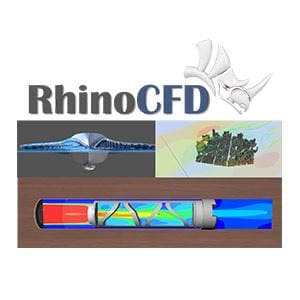
RhinoCFD, which is compatible with Rhino 3D Versions 5, 6 and 7, adds the power of Computational Fluid Dynamics to the CAD environment. It allows Rhino3D users to undertake interactive CFD investigations of their CAD models operating under a multitude of flow conditions; and all without leaving the Rhinoceros environment.
RhinoCFD incorporates many of the unique, and best, features of PHOENICS.
- 'PARSOL' minimises problems associated with handling complex geometries.
- Automatic Meshing avoids the necessity to spend hours optimizing meshes, and
- CONWIZ, the convergence wizard, greatly reduces the complexity of obtaining converged solutions.
Both steady-state and transient (time-dependent) scenarios can be considered, enabling users to extend the range of conditions applied to their models.
- Serial and parallel processing
- PARSOL cut-cell geometry detection simplifying the mesh generation process
- Numerous turbulence model options including RANS and LES
- Post-processing inbuilt in Rhino including isosurfaces, surface contours, vectors and streamlines
- Cartesian and Cylindrical Polar coordinate meshes
- In-program and online help
- Relational Data input without re-compiling
- Automatic convergence control
- Heat transfer between solids and fluids
- Radiation modelling
FLAIR
FLAIR is a variant of PHOENICS designed to provide an air-flow and thermal-simulation facility for building services engineers and the HVAC community, and for those concerned with fire, smoke and pollutant hazards, for both internal and external flow scenarios.
FLAIR differs from PHOENICS through the inclusion of a number of dedicated objects which allow easy specification of Heat sources from people, Comfort indices, Humidity, Diffusers of various types, Fires, Sprinklers, Wind profiles and wind rose data, Solar direct and diffuse radiation fluxes and Rain and rain measurement.
FLAIR has numerous applications including:
- HVAC
- Thermal comfort
- Fire and smoke hazards
- Chemical release and dispersion of pollutants
- Natural ventilation within buildings and wind flow around buildings.
- Urban heat island
- Pedestrian wind comfort analysis
FLAIR Shows results for:
- Air flow patterns
- Temperature distribution/stratification
- Radiation
- Humidity
- Comfort Indices
- Age of air / residence time
- Air change effectiveness
- Smoke layering and concentration
- Visibility / line of sight
- Pollutant spread and concentration
- Effect of sprinkler and jet-fan fire-control methods
- Solar Radiation and Wind Model
- Vegetation model
- HVAC
- Thermal comfort
- Fire and smoke hazards
- Chemical release and dispersion of pollutants
- Natural ventilation within buildings and wind flow around buildings.
- Urban heat island
- Pedestrian wind comfort analysis
What's New
- New Post-Processing Panel - Expanded capabilities for post-processing results of a simulation:
- Redesign of the post-processing Viewer menu window – with new features and better organization.
- Variables (temperature, velocity, cell material, etc.) are displayed with full names in post-processing,
- Mathematical operations in post-processing can be performed on the data – e.g.: typing 0.5*Density*Velocity*Velocity” in the Scalar input box will calculate dynamic pressure in the flow.
- Standard notation added to scale; added feature to invert colours in post-processing; a grey-scale and
other colour map options. - Improved performance of cutplane manipulation, including new faster vector drawing and improved shaders for colouring results.
- Added feature specular reflection to results objects (cutplanes, iso-surfaces, streamlines, etc.)
-
Improved foliage model, evaporation & mass transfer - The foliage object represents a group of trees or other vegetation. As trees and plants absorb heat and release water vapor, a pair of input boxes has been added to the Foliage object to allow entering the cooling rate in W/m3 and water-vapor release rate in kg/m3/s.
The ‘Heat source’ box should be set to the cooling power of the foliage (typically 250 W/m2) multiplied by the Leaf Area Density. The ‘Humidity source’ box (only available in Flair) should be set to the moisture source in kg/m2/s (of the order 810 g/m2/d), also multiplied by the Leaf Area Density. -
Automatic Time Step Calculation - An option in the ‘Time step settings’ dialog allows Earth to calculate the size of the time steps.
Dialog sets the size of time step 1. At the end of each time step the flow field is scanned for the largest Courant Number. The step size for the next step is adjusted to maintain ‘Target Courant Number’ within user-set limits. The run will stop when ‘Last step number’ steps have been performed, or time exceeds ‘Maximum total time’.
Current sweep number, time step number and time are written to any dumped solution files which enables restart runs to continue smoothly. This will benefit many transient cases where the timescale of the process changes during the calculation. This includes many VOF cases. - Option for outputting forces & moments per object as well as total - In addition to the pre-existing file containing the evolution of total force on all objects with time (or sweep), an additional file is output for each object participating in the force summation.
- New Thermal Boundary Condition on objects - Dialogs for setting boundary conditions on non-participating blockages (material 198) allow the setting of thermal and scalar sources on the outer surfaces of such objects.
-
Extensions to the Volume-Of-Fluid (VOF) method - VOF dialogues enable use of THINC, and setting of parameters required for temperature-dependent surface tension. All VOF methods can solve temperature-dependent cases, with proper treatment of the temperature in each phase and in any immersed solids.
Surface tension can be a linear function of temperature; the Langmuir equation of state can be used which includes a scalar as well as temperature. A constant static contact angle can be specified to model wall adhesion effects. -
Activation of Q-Criterion and Vorticity - The Main Menu – Output – Derived Variables panel allows activation of calculation and storage of the Q-criterion
and Vorticity. -
Use of Weibull wind coefficients for averaged wind field (FLAIR) - FLAIR can calculate wind field and comfort index for a range of wind directions, and produce an averaged result.
Both WAsP tab format and Weibull coefficients can be used and can be read from a Generalised Wind Climate file.
A link to the Global Wind Atlas website allows wind data for large parts of the world to be downloaded quickly in the form of a Generalised Wind Climate (GWC) file. -
Dutch and Belgian Fire Standards (FLAIR) - FLAIR FIRE object and Smoke solution panels include Dutch NEN 6098 and Belgian NBN S 21-208-2/A1 Fire
Standards. The ’International’ fire and smoke model, used in FLAIR for many years, is relevant for most cases where production rates of heat and mass can be prescribed. The Dutch and Belgian models are designed to simulate car fires in parking garages and thus are more prescriptive in values used for heat of combustion and heat release rate.
Selecting the Dutch or Belgian model automatically sets all parameters according to the chosen standard, and displays them in the form used. - Universal Thermal Climate Index (FLAIR) - The Universal Thermal Climate Index UTCI provides an assessment of the outdoor thermal environment in biometeorological applications based on the equivalence of the dynamic physiological response predicted by a model of human thermoregulation, coupled with a state-of-the-art clothing model. The operational procedure, available as software from the UTCI website (www.utci.org), shows plausible responses to the influence of humidity and heat radiation in heat, as well as to wind speed in cold and is in good agreement with the assessment of ergonomics standards concerned with the thermal environment. The published subroutine returns the UTCI as a function of air temperature, water vapor pressure, mean radiant temperature and wind speed 10m above ground level.
-
Drift Flux Model for Aerosol Deposition (FLAIR) - An Eulerian-based multi-phase model for simulating dispersion and deposition of aerosol particles in indoor environments is standard. Applications include human exposure to biological or radiological aerosols in healthcare or laboratory environments; health hazards from industrial aerosols; protective environments and isolated clean rooms; and surface contamination of artworks, electronic equipment, etc.
The aerosol model assumes a very dilute particle phase (one-way coupling) with no collisions or coalescence; driftflux modelling is used to represent slippage between particle and gas phases due to gravitational effects. In practice, aerosols can be deposited on surfaces by mechanisms including particle inertia, gravitational settling, Brownian diffusion (particles are transported towards the surface as a result of colliding with fluid molecules), turbulent diffusion (particles are transported towards the surface by turbulent flow eddies), turbophoresis (particles migrate down decreasing turbulence levels because of interactions between particle inertia and inhomogeneities in the turbulence field) and thermophoresis (temperature gradients drive particles towards or away from surfaces).
Description
Overview
|
RhinoCFD + FLAIR is a variant of RhinoCFD designed to provide an air-flow and thermal-simulation facility for building services engineers and the HVAC community, and for those concerned with fire, smoke and pollutant hazards, for both internal and external flow scenarios. This product includes:
|
|
Features
RHINOCFD
RhinoCFD, which is compatible with Rhino 3D Versions 5, 6 and 7, adds the power of Computational Fluid Dynamics to the CAD environment. It allows Rhino3D users to undertake interactive CFD investigations of their CAD models operating under a multitude of flow conditions; and all without leaving the Rhinoceros environment.
RhinoCFD incorporates many of the unique, and best, features of PHOENICS.
- 'PARSOL' minimises problems associated with handling complex geometries.
- Automatic Meshing avoids the necessity to spend hours optimizing meshes, and
- CONWIZ, the convergence wizard, greatly reduces the complexity of obtaining converged solutions.
Both steady-state and transient (time-dependent) scenarios can be considered, enabling users to extend the range of conditions applied to their models.
- Serial and parallel processing
- PARSOL cut-cell geometry detection simplifying the mesh generation process
- Numerous turbulence model options including RANS and LES
- Post-processing inbuilt in Rhino including isosurfaces, surface contours, vectors and streamlines
- Cartesian and Cylindrical Polar coordinate meshes
- In-program and online help
- Relational Data input without re-compiling
- Automatic convergence control
- Heat transfer between solids and fluids
- Radiation modelling
FLAIR
FLAIR is a variant of PHOENICS designed to provide an air-flow and thermal-simulation facility for building services engineers and the HVAC community, and for those concerned with fire, smoke and pollutant hazards, for both internal and external flow scenarios.
FLAIR differs from PHOENICS through the inclusion of a number of dedicated objects which allow easy specification of Heat sources from people, Comfort indices, Humidity, Diffusers of various types, Fires, Sprinklers, Wind profiles and wind rose data, Solar direct and diffuse radiation fluxes and Rain and rain measurement.
FLAIR has numerous applications including:
- HVAC
- Thermal comfort
- Fire and smoke hazards
- Chemical release and dispersion of pollutants
- Natural ventilation within buildings and wind flow around buildings.
- Urban heat island
- Pedestrian wind comfort analysis
FLAIR Shows results for:
- Air flow patterns
- Temperature distribution/stratification
- Radiation
- Humidity
- Comfort Indices
- Age of air / residence time
- Air change effectiveness
- Smoke layering and concentration
- Visibility / line of sight
- Pollutant spread and concentration
- Effect of sprinkler and jet-fan fire-control methods
- Solar Radiation and Wind Model
- Vegetation model
- HVAC
- Thermal comfort
- Fire and smoke hazards
- Chemical release and dispersion of pollutants
- Natural ventilation within buildings and wind flow around buildings.
- Urban heat island
- Pedestrian wind comfort analysis
What's New
- New Post-Processing Panel - Expanded capabilities for post-processing results of a simulation:
- Redesign of the post-processing Viewer menu window – with new features and better organization.
- Variables (temperature, velocity, cell material, etc.) are displayed with full names in post-processing,
- Mathematical operations in post-processing can be performed on the data – e.g.: typing 0.5*Density*Velocity*Velocity” in the Scalar input box will calculate dynamic pressure in the flow.
- Standard notation added to scale; added feature to invert colours in post-processing; a grey-scale and
other colour map options. - Improved performance of cutplane manipulation, including new faster vector drawing and improved shaders for colouring results.
- Added feature specular reflection to results objects (cutplanes, iso-surfaces, streamlines, etc.)
-
Improved foliage model, evaporation & mass transfer - The foliage object represents a group of trees or other vegetation. As trees and plants absorb heat and release water vapor, a pair of input boxes has been added to the Foliage object to allow entering the cooling rate in W/m3 and water-vapor release rate in kg/m3/s.
The ‘Heat source’ box should be set to the cooling power of the foliage (typically 250 W/m2) multiplied by the Leaf Area Density. The ‘Humidity source’ box (only available in Flair) should be set to the moisture source in kg/m2/s (of the order 810 g/m2/d), also multiplied by the Leaf Area Density. -
Automatic Time Step Calculation - An option in the ‘Time step settings’ dialog allows Earth to calculate the size of the time steps.
Dialog sets the size of time step 1. At the end of each time step the flow field is scanned for the largest Courant Number. The step size for the next step is adjusted to maintain ‘Target Courant Number’ within user-set limits. The run will stop when ‘Last step number’ steps have been performed, or time exceeds ‘Maximum total time’.
Current sweep number, time step number and time are written to any dumped solution files which enables restart runs to continue smoothly. This will benefit many transient cases where the timescale of the process changes during the calculation. This includes many VOF cases. - Option for outputting forces & moments per object as well as total - In addition to the pre-existing file containing the evolution of total force on all objects with time (or sweep), an additional file is output for each object participating in the force summation.
- New Thermal Boundary Condition on objects - Dialogs for setting boundary conditions on non-participating blockages (material 198) allow the setting of thermal and scalar sources on the outer surfaces of such objects.
-
Extensions to the Volume-Of-Fluid (VOF) method - VOF dialogues enable use of THINC, and setting of parameters required for temperature-dependent surface tension. All VOF methods can solve temperature-dependent cases, with proper treatment of the temperature in each phase and in any immersed solids.
Surface tension can be a linear function of temperature; the Langmuir equation of state can be used which includes a scalar as well as temperature. A constant static contact angle can be specified to model wall adhesion effects. -
Activation of Q-Criterion and Vorticity - The Main Menu – Output – Derived Variables panel allows activation of calculation and storage of the Q-criterion
and Vorticity. -
Use of Weibull wind coefficients for averaged wind field (FLAIR) - FLAIR can calculate wind field and comfort index for a range of wind directions, and produce an averaged result.
Both WAsP tab format and Weibull coefficients can be used and can be read from a Generalised Wind Climate file.
A link to the Global Wind Atlas website allows wind data for large parts of the world to be downloaded quickly in the form of a Generalised Wind Climate (GWC) file. -
Dutch and Belgian Fire Standards (FLAIR) - FLAIR FIRE object and Smoke solution panels include Dutch NEN 6098 and Belgian NBN S 21-208-2/A1 Fire
Standards. The ’International’ fire and smoke model, used in FLAIR for many years, is relevant for most cases where production rates of heat and mass can be prescribed. The Dutch and Belgian models are designed to simulate car fires in parking garages and thus are more prescriptive in values used for heat of combustion and heat release rate.
Selecting the Dutch or Belgian model automatically sets all parameters according to the chosen standard, and displays them in the form used. - Universal Thermal Climate Index (FLAIR) - The Universal Thermal Climate Index UTCI provides an assessment of the outdoor thermal environment in biometeorological applications based on the equivalence of the dynamic physiological response predicted by a model of human thermoregulation, coupled with a state-of-the-art clothing model. The operational procedure, available as software from the UTCI website (www.utci.org), shows plausible responses to the influence of humidity and heat radiation in heat, as well as to wind speed in cold and is in good agreement with the assessment of ergonomics standards concerned with the thermal environment. The published subroutine returns the UTCI as a function of air temperature, water vapor pressure, mean radiant temperature and wind speed 10m above ground level.
-
Drift Flux Model for Aerosol Deposition (FLAIR) - An Eulerian-based multi-phase model for simulating dispersion and deposition of aerosol particles in indoor environments is standard. Applications include human exposure to biological or radiological aerosols in healthcare or laboratory environments; health hazards from industrial aerosols; protective environments and isolated clean rooms; and surface contamination of artworks, electronic equipment, etc.
The aerosol model assumes a very dilute particle phase (one-way coupling) with no collisions or coalescence; driftflux modelling is used to represent slippage between particle and gas phases due to gravitational effects. In practice, aerosols can be deposited on surfaces by mechanisms including particle inertia, gravitational settling, Brownian diffusion (particles are transported towards the surface as a result of colliding with fluid molecules), turbulent diffusion (particles are transported towards the surface by turbulent flow eddies), turbophoresis (particles migrate down decreasing turbulence levels because of interactions between particle inertia and inhomogeneities in the turbulence field) and thermophoresis (temperature gradients drive particles towards or away from surfaces).